
Ryan Howard Taking Notes - the Office Meme Generator
Create Your Ryan Howard Taking Notes - the Office Meme
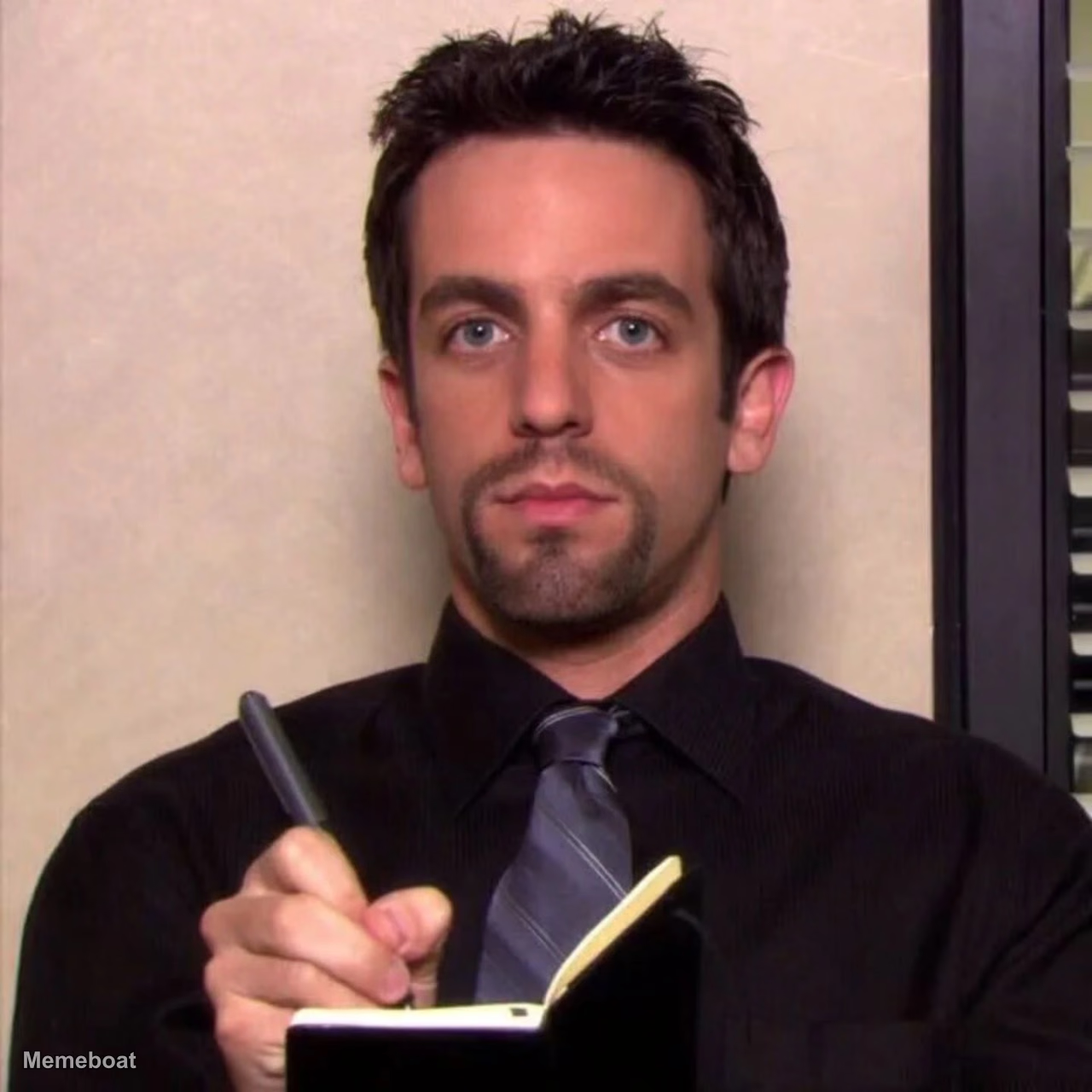
Ryan Howard, a character from the TV show 'The Office', is shown from the chest up, intently looking forward while holding a pen and a small notebook…
Blank Ryan Howard Taking Notes - the Office meme template
Download the blank Ryan Howard Taking Notes - the Office template to caption it yourself, or add your text right here in the editor above and download the finished meme.
Ryan Howard Taking Notes - the Office template facts
- Dimensions
- 1280 × 1280 px
- Format
- WEBP
- Text boxes
- 2
- Added
- 2026
About the Ryan Howard Taking Notes - the Office meme template
Ryan Howard, a character from the TV show 'The Office', is shown from the chest up, intently looking forward while holding a pen and a small notebook, seemingly taking notes. He wears a black button-up shirt and a striped gray tie, with his dark hair neatly styled and a goatee.
Templates similar to Ryan Howard Taking Notes - the Office





Ryan Howard Taking Notes - the Office meme FAQ
How do I make a Ryan Howard Taking Notes - the Office meme?
Scroll up to the Ryan Howard Taking Notes - the Office template, type your caption into the 2 text boxes in the editor above, adjust the font, size and color if you like, then click download. Your finished Ryan Howard Taking Notes - the Office meme is ready to share in seconds.
Can I use the Ryan Howard Taking Notes - the Office template for free?
Yes. The Ryan Howard Taking Notes - the Office template is completely free to use — no signup and no limits on how many memes you create or where you share them.
How do I download my Ryan Howard Taking Notes - the Office meme?
Click the download button under the editor once your Ryan Howard Taking Notes - the Office meme looks right. It saves straight to your device as a high-quality PNG or JPEG image.
How do I download the blank Ryan Howard Taking Notes - the Office template?
Use the "Download blank template" button in the blank Ryan Howard Taking Notes - the Office template section above to save the original, un-captioned image — handy if you'd rather caption it in another app or keep a copy.