Loading...
Loading...
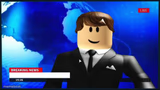
Use the Roblox News meme template to caption your own breaking news jokes. Add text and download your meme free at memebo.at.
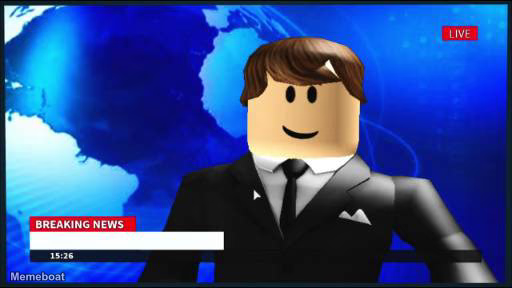
Download the blank Roblox News template to caption it yourself, or add your text right here in the editor above and download the finished meme.
Got something ridiculous to announce? The Roblox News format works well when you're framing a joke, hot take, or absurd observation as an official breaking news headline — the kind of thing that sounds far more serious than it is.
Keep your caption short and punchy. The news-headline style does the heavy lifting, so one tight line tends to land better than a long explanation. Think in terms of things that feel weirdly newsworthy to a specific crowd — gaming moments, everyday frustrations, or niche in-jokes dressed up as urgent reports.
Head to memebo.at, drop your text onto the Roblox News template, and download the finished image for free.
Scroll up to the Roblox News template, type your caption into the 2 text boxes in the editor above, adjust the font, size and color if you like, then click download. Your finished Roblox News meme is ready to share in seconds.
Yes. The Roblox News template is completely free to use — no signup and no limits on how many memes you create or where you share them.
Click the download button under the editor once your Roblox News meme looks right. It saves straight to your device as a high-quality PNG or JPEG image.
Use the "Download blank template" button in the blank Roblox News template section above to save the original, un-captioned image — handy if you'd rather caption it in another app or keep a copy.