
Tony Soprano Explaining Meme Generator
Create Your Tony Soprano Explaining Meme
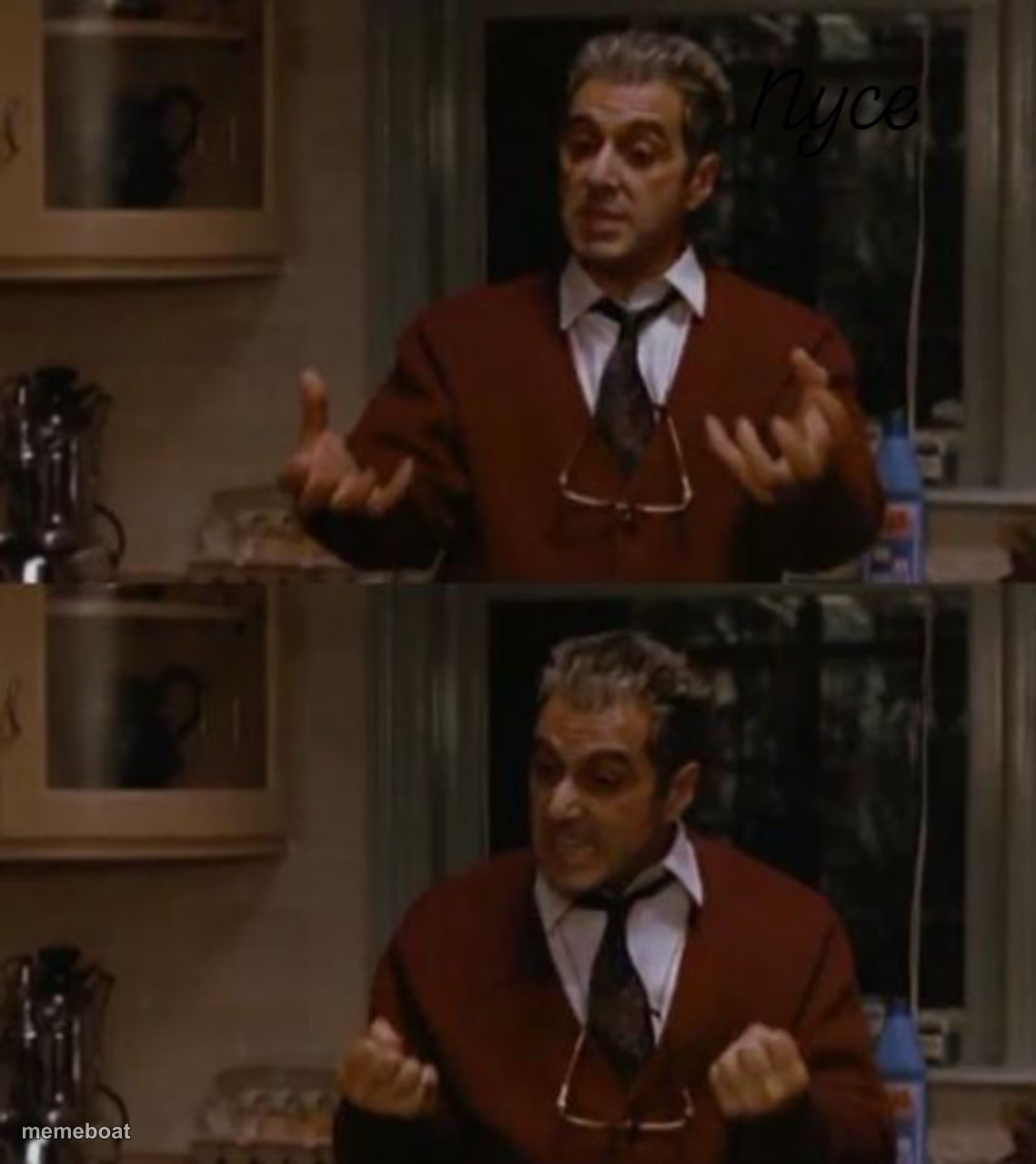
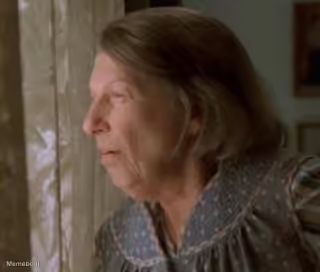
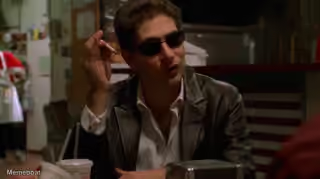
Tony Soprano gesturing while explaining something, then getting fed up, in two panels from The Sopranos. Perfect for patient-to-done escalation jokes.
Blank Tony Soprano Explaining meme template
Download the blank Tony Soprano Explaining template to caption it yourself, or add your text right here in the editor above and download the finished meme.
When to use the Tony Soprano Explaining meme
- Explaining something obvious for the third time
- Patiently reasoning with someone before losing it
- Two-part escalation from calm to fed up
- Mob-boss-tier explanation of a simple house rule
Tony Soprano Explaining template facts
- Featuring
- Tony Soprano (The Sopranos)
- Dimensions
- 1139 × 1280 px
- Format
- JPG
- Text boxes
- 2
- Added
- 2025
About the Tony Soprano Explaining meme template
The "Pull Me Back In" meme template originates from a memorable scene featuring Al Pacino as Michael Corleone in the iconic film The Godfather. This meme captures a powerful moment of reluctant return, resonating deeply within internet culture as a viral phenomenon since its rise on social media platforms around 2020. Its cinematic roots and emotional depth have made it a staple in meme culture, symbolizing humorous yet relatable moments of being drawn back into situations despite better judgment. This template perfectly blends classic film nostalgia with modern meme trends, making it a favorite among meme enthusiasts worldwide.
Knowing how to use the Pull Me Back In meme template effectively can elevate your social media content with humor and relatability. This meme is perfect for expressing those moments when you find yourself reluctantly pulled back into habits, trends, or conversations. Whether you're posting on Instagram, Twitter, Facebook, or TikTok, this template is ideal for funny reactions and relatable moments that engage audiences. To maximize impact, create memes that reflect everyday struggles or viral topics, tapping into the emotional context of hesitation and inevitability. Understanding when to post and how to customize your message ensures your meme resonates and sparks shares across platforms.
The Pull Me Back In meme remains popular due to its versatility and strong emotional appeal, making it highly shareable and engaging. With our easy-to-use online meme generator, you can create, customize, and personalize your own Pull Me Back In memes instantly—no design skills needed. This tool offers quick results, allowing you to generate viral content that stands out in the crowded meme landscape. Join millions who use our meme maker to build funny, trending memes that boost social media engagement. Start creating your Pull Me Back In meme now and watch your content go viral with ease and speed!
Popular Tony Soprano Explaining caption ideas
Just when I put my sweater away · I have to pull it back out again!
Me explaining why I need the WiFi password · when they still say no
When you ask why the group chat is still active · and get zero answers
Trying to explain fantasy football rules · to someone who joined for the memes



Tony Soprano Explaining meme FAQ
How do I make a Tony Soprano Explaining meme?
Scroll up to the Tony Soprano Explaining template, type your caption into the 2 text boxes in the editor above, adjust the font, size and color if you like, then click download. Your finished Tony Soprano Explaining meme is ready to share in seconds.
Can I use the Tony Soprano Explaining template for free?
Yes. The Tony Soprano Explaining template is completely free to use — no signup and no limits on how many memes you create or where you share them.
How do I download my Tony Soprano Explaining meme?
Click the download button under the editor once your Tony Soprano Explaining meme looks right. It saves straight to your device as a high-quality PNG or JPEG image.
How do I download the blank Tony Soprano Explaining template?
Use the "Download blank template" button in the blank Tony Soprano Explaining template section above to save the original, un-captioned image — handy if you'd rather caption it in another app or keep a copy.