
Screaming Cat Meme Generator
Create Your Screaming Cat Meme

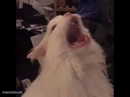
A cat with its mouth wide open mid-scream, perfect for pure shock, rage, or existential dread. Caption it free and download instantly.
Blank Screaming Cat meme template
Download the blank Screaming Cat template to caption it yourself, or add your text right here in the editor above and download the finished meme.
When to use the Screaming Cat meme
- When you open your banking app on payday and it's already gone
- That split second before you say something you'll regret
Screaming Cat template facts
- Dimensions
- 493 × 622 px
- Format
- PNG
- Text boxes
- 1
- Added
- 2026
About the Screaming Cat meme template
This cat is not meowing, it's not yawning, it's full-on screaming into the void, mouth open so wide you can practically hear it. There's no context and there doesn't need to be one, the face alone carries every ounce of chaos.
Use it for the moment your brain short-circuits, when someone says something so unhinged you can only respond with noise, or any time words fail and only a scream will do.
Popular Screaming Cat caption ideas
WHEN YOU ARE HUNGRY
ME SEEING THE GROUP CHAT AT 3AM
WHEN THE WIFI DROPS DURING THE FINAL BOSS
MY FACE WHEN MONDAY REALIZES IT'S MONDAY
Templates similar to Screaming Cat
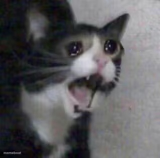


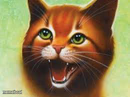
Screaming Cat meme FAQ
How do I make a Screaming Cat meme?
Scroll up to the Screaming Cat template, type your caption into the text box in the editor above, adjust the font, size and color if you like, then click download. Your finished Screaming Cat meme is ready to share in seconds.
Can I use the Screaming Cat template for free?
Yes. The Screaming Cat template is completely free to use — no signup and no limits on how many memes you create or where you share them.
How do I download my Screaming Cat meme?
Click the download button under the editor once your Screaming Cat meme looks right. It saves straight to your device as a high-quality PNG or JPEG image.
How do I download the blank Screaming Cat template?
Use the "Download blank template" button in the blank Screaming Cat template section above to save the original, un-captioned image — handy if you'd rather caption it in another app or keep a copy.