Polyester Spiderman Edit Video Meme Generator
Create Your Polyester Spiderman Edit Meme
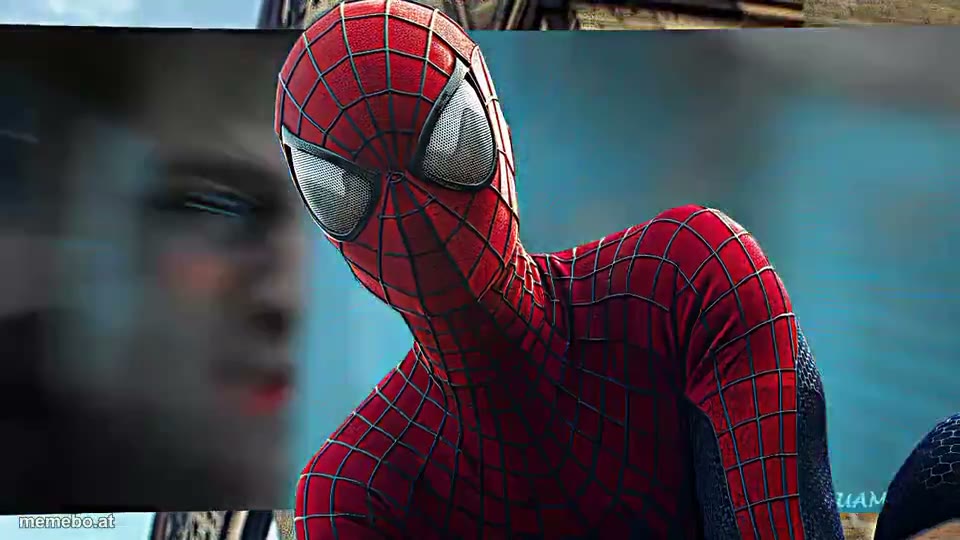
Also known as: Andrew Garfield Spider-man · Polyester Spider-Man Edit
A dynamic fan edit showcasing Andrew Garfield as Spider-Man from The Amazing Spider-Man films.
Blank Polyester Spiderman Edit meme template
Download the blank Polyester Spiderman Edit clip to caption it yourself, or add your text right here in the editor above and save the finished meme.
Polyester Spiderman Edit template facts
- Dimensions
- 960 × 540 px
- Format
- MP4
- Text boxes
- 2
- Added
- 2026
About the Polyester Spiderman Edit meme template
A dynamic fan edit showcasing Andrew Garfield as Spider-Man from The Amazing Spider-Man films. The video features fast-paced cuts, intense action sequences, and various visual effects like motion blur, glitch transitions, and glowing elements. Spider-Man is seen in iconic poses, swinging through a cityscape, perched on buildings, crouching, and engaged in combat. The edit highlights his suit and various web-slinging actions, often with a stylized, cinematic flair.
More meme templates

Spiderman jumping: "Spiderman: Brand New Day"

Thor Ragnarok electric ahh template

Hulk thunderclap - 'Spider-Man: Brand New Day'

Spider Man Jump of a building to a fight - Brand New Day
Getting Ready

Broken Peter Parker
Jon Bernthal Pointing Gun - The Punisher
Spiderman Feet Pic - 'Spider-man: Brand New Day'
Polyester Spiderman Edit meme FAQ
How do I make a Polyester Spiderman Edit meme?
Scroll up to the Polyester Spiderman Edit clip, type your caption into the 2 text boxes in the editor above, adjust the font, size and color if you like, then save it as a GIF or MP4. Your finished Polyester Spiderman Edit meme is ready to share in seconds.
Can I use the Polyester Spiderman Edit template for free?
Yes. The Polyester Spiderman Edit template is completely free to use — no signup and no limits on how many memes you create or where you share them.
How do I download my Polyester Spiderman Edit meme?
Click the download button under the editor once your Polyester Spiderman Edit meme looks right. It saves to your device as a GIF of up to 10 seconds, or as an MP4 video in browsers that can make one.
How do I download the blank Polyester Spiderman Edit template?
Use the "Download blank template" button in the blank Polyester Spiderman Edit template section above to save the original clip as an MP4, without captions.