Loading...
Loading...
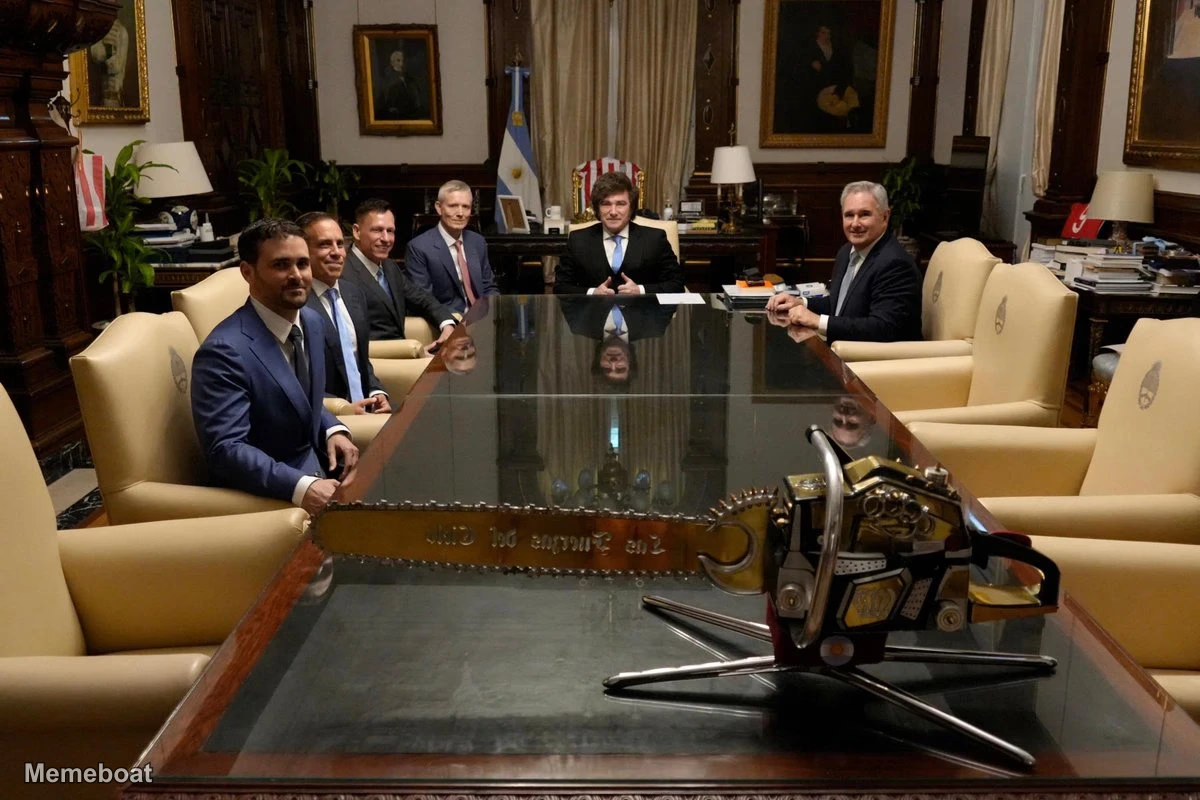
Peter Thiel and Javier Milei, the President of Argentina, are seated at a long, glossy conference table in a formal meeting room, along with several…
Download the blank Peter Thiel, a Chainsaw, and Javier Millei (President of Argentina) template to caption it yourself, or add your text right here in the editor above and download the finished meme.
Peter Thiel and Javier Milei, the President of Argentina, are seated at a long, glossy conference table in a formal meeting room, along with several other men in suits. In the foreground, a large, ornate golden chainsaw, a symbolic representation of Milei's political platform, is prominently displayed on the table, reflecting the room and the men. The setting is a grand office, possibly a presidential one, with rich wooden paneling and paintings.
Peter Thiel is in the Black Lodge, correction, I mean Casa Rosada: Argentine Media reports he met with a mysterious woman named "Judy" before cryptically stating: "Javier... I want... all my... Garmonbozia...." to surprised and startled onlookers.
Peter Thiel just met with Argentina's President Javier Milei. A chainsaw was sitting on the table.
Scroll up to the Peter Thiel, a Chainsaw, and Javier Millei (President of Argentina) template, type your caption into the 2 text boxes in the editor above, adjust the font, size and color if you like, then click download. Your finished Peter Thiel, a Chainsaw, and Javier Millei (President of Argentina) meme is ready to share in seconds.
Yes. The Peter Thiel, a Chainsaw, and Javier Millei (President of Argentina) template is completely free to use — no signup and no limits on how many memes you create or where you share them.
Click the download button under the editor once your Peter Thiel, a Chainsaw, and Javier Millei (President of Argentina) meme looks right. It saves straight to your device as a high-quality PNG or JPEG image.
Use the "Download blank template" button in the blank Peter Thiel, a Chainsaw, and Javier Millei (President of Argentina) template section above to save the original, un-captioned image — handy if you'd rather caption it in another app or keep a copy.