
Peter shoots Meg Meme Generator
Create Your Peter shoots Meg Meme
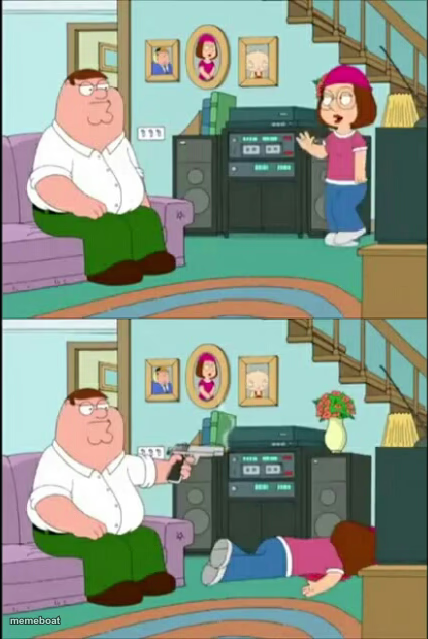
Family Guy's Peter Griffin calmly sitting, then casually shooting Meg — the ultimate two-panel escalation template. Caption and download it free.
Blank Peter shoots Meg meme template
Download the blank Peter shoots Meg template to caption it yourself, or add your text right here in the editor above and download the finished meme.
When to use the Peter shoots Meg meme
- The jump from 'ignore the problem' to 'eliminate the problem' instantly
- Reacting to unsolicited advice by ending the conversation completely
- Any 'before vs after I snapped' escalation joke
- Dealing with a minor annoyance in the most extreme possible way
Peter shoots Meg template facts
- Featuring
- Peter Griffin (Family Guy)
- Dimensions
- 428 × 639 px
- Format
- JPG
- Added
- 2025
About the Peter shoots Meg meme template
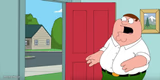
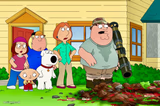
Panel one: Peter just chilling on the couch while Meg does her thing. Panel two: Peter's already handled it, gun out, Meg on the floor, not a flicker of remorse on his face. Instant, brutal escalation in two frames.
Built for any joke where option two is 'nope, just get rid of the problem entirely' — coworkers, group chats, bad ideas, anything that needs to disappear immediately and without ceremony.

Peter shoots Meg meme FAQ
How do I make a Peter shoots Meg meme?
Scroll up to the Peter shoots Meg template, add your own text boxes in the editor above and type your captions, adjust the font, size and color if you like, then click download. Your finished Peter shoots Meg meme is ready to share in seconds.
Can I use the Peter shoots Meg template for free?
Yes. The Peter shoots Meg template is completely free to use — no signup and no limits on how many memes you create or where you share them.
How do I download my Peter shoots Meg meme?
Click the download button under the editor once your Peter shoots Meg meme looks right. It saves straight to your device as a high-quality PNG or JPEG image.
How do I download the blank Peter shoots Meg template?
Use the "Download blank template" button in the blank Peter shoots Meg template section above to save the original, un-captioned image — handy if you'd rather caption it in another app or keep a copy.