
Peter Griffin explains Meme Generator
Create Your Peter Griffin explains Meme

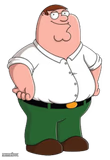
Peter Griffin standing with hands on hips next to blank space, ready to explain something ridiculous. Classic setup for over-the-top lectures. Caption and download free.
Blank Peter Griffin explains meme template
Download the blank Peter Griffin explains template to caption it yourself, or add your text right here in the editor above and download the finished meme.
When to use the Peter Griffin explains meme
- Explaining a wildly convoluted excuse for being late
- Confidently mansplaining something he clearly doesn't understand
- Setting up a random tangent that has nothing to do with the actual topic
Peter Griffin explains template facts
- Featuring
- Peter Griffin (Family Guy)
- Dimensions
- 1280 × 720 px
- Format
- JPG
- Added
- 2026
About the Peter Griffin explains meme template
Peter Griffin, hands on hips, standing confidently in a black void with a big open space next to him just begging for a rambling, nonsensical explanation. You know exactly the energy this is — smug, confident, and about to say something completely unhinged.
Popular Peter Griffin explains caption ideas
TO PROVE PEOPLE WILL UPVOTE ANYTHING: · peter griffin
Templates similar to Peter Griffin explains


Peter Griffin explains meme FAQ
How do I make a Peter Griffin explains meme?
Scroll up to the Peter Griffin explains template, add your own text boxes in the editor above and type your captions, adjust the font, size and color if you like, then click download. Your finished Peter Griffin explains meme is ready to share in seconds.
Can I use the Peter Griffin explains template for free?
Yes. The Peter Griffin explains template is completely free to use — no signup and no limits on how many memes you create or where you share them.
How do I download my Peter Griffin explains meme?
Click the download button under the editor once your Peter Griffin explains meme looks right. It saves straight to your device as a high-quality PNG or JPEG image.
How do I download the blank Peter Griffin explains template?
Use the "Download blank template" button in the blank Peter Griffin explains template section above to save the original, un-captioned image — handy if you'd rather caption it in another app or keep a copy.