
Peppa Pig Phone Meme Generator
Create Your Peppa Pig Phone Meme
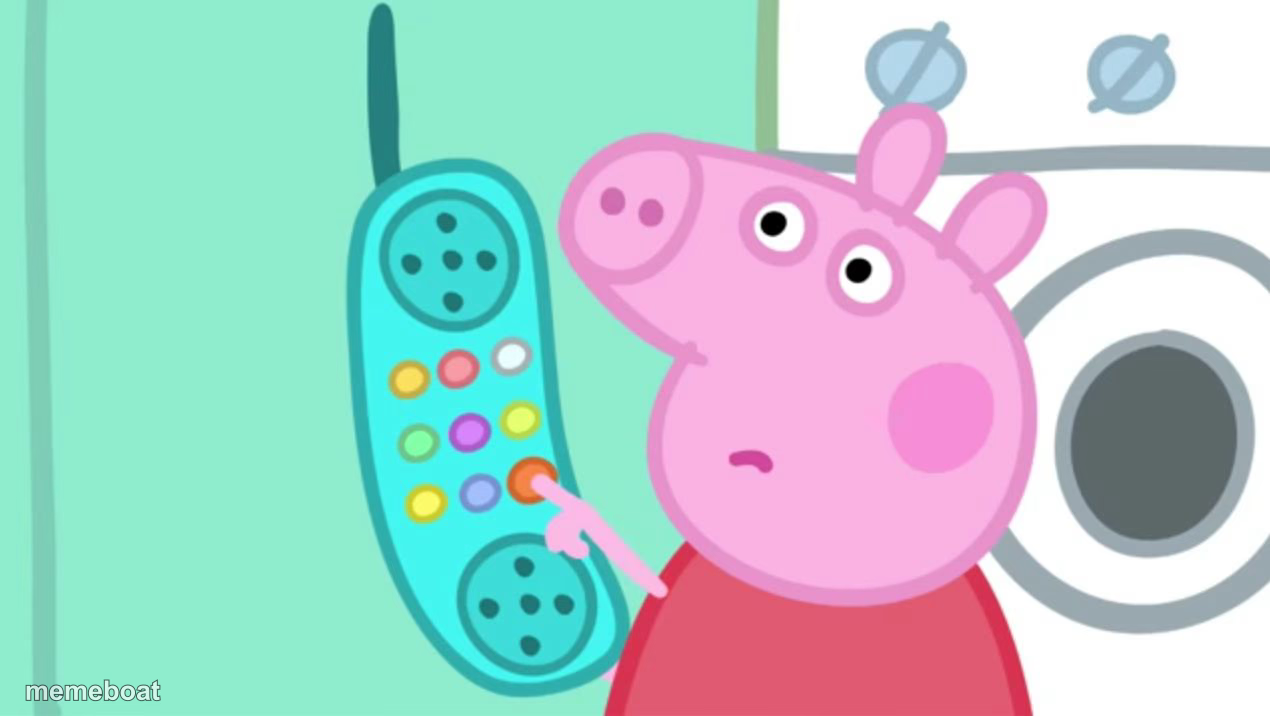
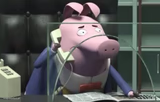
Peppa Pig confused while holding a corded phone, staring off blankly. Great for 'wait, what?' moments — caption and download the template free.
Blank Peppa Pig Phone meme template
Download the blank Peppa Pig Phone template to caption it yourself, or add your text right here in the editor above and download the finished meme.
When to use the Peppa Pig Phone meme
- Getting a phone call with genuinely baffling news
- When customer service tells you the wait time is two hours
- Your mom calling to explain a TikTok she saw
- Answering a spam call and somehow staying on the line
Peppa Pig Phone template facts
- Featuring
- Peppa Pig
- Dimensions
- 1270 × 716 px
- Format
- JPG
- Text boxes
- 1
- Added
- 2025
About the Peppa Pig Phone meme template
Peppa Pig holds an old corded phone up to her ear with a look of total confusion, like whoever's on the other end just said something completely unexpected. It's the universal 'come again?' face, just adorably pig-shaped.
Popular Peppa Pig Phone caption ideas
Me answering an unknown number
When the doctor's office calls back
Customer service: it'll be 45 more minutes
Templates similar to Peppa Pig Phone




Peppa Pig Phone meme FAQ
How do I make a Peppa Pig Phone meme?
Scroll up to the Peppa Pig Phone template, type your caption into the text box in the editor above, adjust the font, size and color if you like, then click download. Your finished Peppa Pig Phone meme is ready to share in seconds.
Can I use the Peppa Pig Phone template for free?
Yes. The Peppa Pig Phone template is completely free to use — no signup and no limits on how many memes you create or where you share them.
How do I download my Peppa Pig Phone meme?
Click the download button under the editor once your Peppa Pig Phone meme looks right. It saves straight to your device as a high-quality PNG or JPEG image.
How do I download the blank Peppa Pig Phone template?
Use the "Download blank template" button in the blank Peppa Pig Phone template section above to save the original, un-captioned image — handy if you'd rather caption it in another app or keep a copy.