
Kaboom Penguin Meme Generator
Create Your Kaboom Penguin Meme

Wide-eyed penguin from Penguins of Madagascar asking 'Kaboom?' with an explosive-looking package. Free to caption and download.
Blank Kaboom Penguin meme template
Download the blank Kaboom Penguin template to caption it yourself, or add your text right here in the editor above and download the finished meme.
When to use the Kaboom Penguin meme
- Asking if a risky plan is going to blow up in your face
- That moment before you hit send on something chaotic
- Reacting to a suspicious package or surprise gift
- Innocently asking about disaster you clearly caused
Kaboom Penguin template facts
- Featuring
- Private (Penguins of Madagascar (Christmas special))
- Dimensions
- 1280 × 776 px
- Format
- JPG
- Text boxes
- 2
- Added
- 2025
About the Kaboom Penguin meme template
This little penguin is holding something that looks suspiciously like a bomb and asking, with total innocent confidence, if it goes 'kaboom.' It's the perfect face for confidently doing something you probably shouldn't.
Popular Kaboom Penguin caption ideas
Me, holding my laptop · before the group project presentation
When you microwave the burrito · for exactly one minute too long
Sending that text · at 2am
Templates similar to Kaboom Penguin
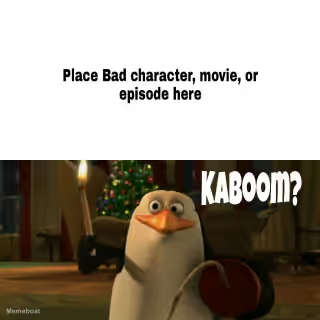
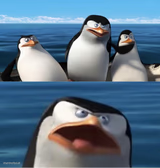

Kaboom Penguin meme FAQ
How do I make a Kaboom Penguin meme?
Scroll up to the Kaboom Penguin template, type your caption into the 2 text boxes in the editor above, adjust the font, size and color if you like, then click download. Your finished Kaboom Penguin meme is ready to share in seconds.
Can I use the Kaboom Penguin template for free?
Yes. The Kaboom Penguin template is completely free to use — no signup and no limits on how many memes you create or where you share them.
How do I download my Kaboom Penguin meme?
Click the download button under the editor once your Kaboom Penguin meme looks right. It saves straight to your device as a high-quality PNG or JPEG image.
How do I download the blank Kaboom Penguin template?
Use the "Download blank template" button in the blank Kaboom Penguin template section above to save the original, un-captioned image — handy if you'd rather caption it in another app or keep a copy.