
Peeking Angry Cat Meme Generator
Create Your Peeking Angry Cat Meme
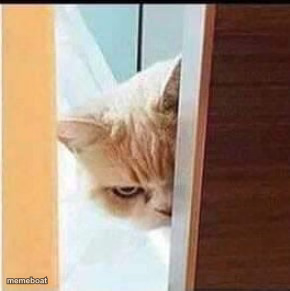
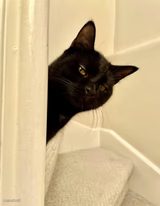
A cat glaring judgmentally while peeking around a door — the go-to face for silent disapproval and side-eye energy. Caption and download free.
Blank Peeking Angry Cat meme template
Download the blank Peeking Angry Cat template to caption it yourself, or add your text right here in the editor above and download the finished meme.
When to use the Peeking Angry Cat meme
- Getting caught eating snacks you said you'd stopped buying
- Your cat watching you fail at something for the third time
- That side-eye from a coworker when you show up late again
Peeking Angry Cat template facts
- Dimensions
- 290 × 291 px
- Format
- JPG
- Added
- 2025
About the Peeking Angry Cat meme template
This cat has appeared from behind a door with exactly one visible eye and it is already judging you. No words needed — the half-hidden glare says everything about how disappointed it is in your life choices.
Use it whenever someone catches you doing something questionable, or for that universal feeling of being silently judged by a pet, a coworker, or your own conscience.
Popular Peeking Angry Cat caption ideas
I UPVOTED · BE THANKFUL
Templates similar to Peeking Angry Cat


Peeking Angry Cat meme FAQ
How do I make a Peeking Angry Cat meme?
Scroll up to the Peeking Angry Cat template, add your own text boxes in the editor above and type your captions, adjust the font, size and color if you like, then click download. Your finished Peeking Angry Cat meme is ready to share in seconds.
Can I use the Peeking Angry Cat template for free?
Yes. The Peeking Angry Cat template is completely free to use — no signup and no limits on how many memes you create or where you share them.
How do I download my Peeking Angry Cat meme?
Click the download button under the editor once your Peeking Angry Cat meme looks right. It saves straight to your device as a high-quality PNG or JPEG image.
How do I download the blank Peeking Angry Cat template?
Use the "Download blank template" button in the blank Peeking Angry Cat template section above to save the original, un-captioned image — handy if you'd rather caption it in another app or keep a copy.