
Peddito Meme Generator
Create Your Peddito Meme

A tiny low-poly pink character in red overalls, arms out — perfect for reaction captions. Add your own text and download free.
Blank Peddito meme template
Download the blank Peddito template to caption it yourself, or add your text right here in the editor above and download the finished meme.
When to use the Peddito meme
- captioning a random unidentifiable game NPC that somehow became load-bearing
- reacting to a situation with a shrug and zero explanation
- standing in the background while everything falls apart
Peddito template facts
- Dimensions
- 63 × 53 px
- Format
- PNG
- Text boxes
- 2
- Added
- 2025
About the Peddito meme template
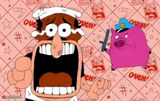
This little guy is a blocky, low-poly 3D render: a round pink body stuffed into red overalls, stubby dark limbs sticking out like he's about to shrug. There's no confirmed franchise attached to him, but that chunky '90s-CGI look is exactly why he works as a blank-slate reaction face.
Use him whenever a screenshot needs a shrug, a "well, this is fine" energy, or just a weird little guy standing there while chaos happens around him. Caption it, download it free, no sign-up needed.
Popular Peddito caption ideas
HELLO IMGFLIP · MY TIME HAZ COME
me pretending · everything is fine
that one npc · nobody asked for
my emotional support · little pink guy
Templates similar to Peddito



Peddito meme FAQ
How do I make a Peddito meme?
Scroll up to the Peddito template, type your caption into the 2 text boxes in the editor above, adjust the font, size and color if you like, then click download. Your finished Peddito meme is ready to share in seconds.
Can I use the Peddito template for free?
Yes. The Peddito template is completely free to use — no signup and no limits on how many memes you create or where you share them.
How do I download my Peddito meme?
Click the download button under the editor once your Peddito meme looks right. It saves straight to your device as a high-quality PNG or JPEG image.
How do I download the blank Peddito template?
Use the "Download blank template" button in the blank Peddito template section above to save the original, un-captioned image — handy if you'd rather caption it in another app or keep a copy.