
Pathetic Goose Meme Generator
Create Your Pathetic Goose Meme

A limp goose held up with the word 'Pathetic' already captioned on it, ready-made for roasting weak excuses or lazy effort. Free to caption and share.
Blank Pathetic Goose meme template
Download the blank Pathetic Goose template to caption it yourself, or add your text right here in the editor above and download the finished meme.
When to use the Pathetic Goose meme
- Mocking a weak excuse someone just gave
- Reacting to a lazy effort at work or school
- Roasting someone's gym personal record
- Judging a truly bad take in the group chat
Pathetic Goose template facts
- Dimensions
- 601 × 601 px
- Format
- JPG
- Text boxes
- 1
- Added
- 2025
About the Pathetic Goose meme template
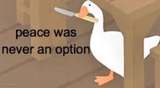
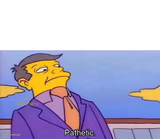
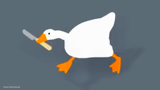
Someone's holding up a very unimpressed-looking goose by the wing, and the image already comes with its own built-in judgment: 'Pathetic.' The goose isn't even trying to argue.
Use it whenever someone's excuse, gym set, or life choice doesn't clear the bar. It's a one-word roast machine, just swap the caption for whatever specifically disappointed you today.
Popular Pathetic Goose caption ideas
Pathetic.
your fantasy football lineup this week
him: 'I could totally run a marathon'
Templates similar to Pathetic Goose

Pathetic Goose meme FAQ
How do I make a Pathetic Goose meme?
Scroll up to the Pathetic Goose template, type your caption into the text box in the editor above, adjust the font, size and color if you like, then click download. Your finished Pathetic Goose meme is ready to share in seconds.
Can I use the Pathetic Goose template for free?
Yes. The Pathetic Goose template is completely free to use — no signup and no limits on how many memes you create or where you share them.
How do I download my Pathetic Goose meme?
Click the download button under the editor once your Pathetic Goose meme looks right. It saves straight to your device as a high-quality PNG or JPEG image.
How do I download the blank Pathetic Goose template?
Use the "Download blank template" button in the blank Pathetic Goose template section above to save the original, un-captioned image — handy if you'd rather caption it in another app or keep a copy.