
Screaming Scrat Meme Generator
Create Your Screaming Scrat Meme

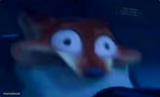
Scrat from Ice Age mid-scream, wide-eyed and terrified as usual. Perfect for pure panic reactions — free to caption and download.
Blank Screaming Scrat meme template
Download the blank Screaming Scrat template to caption it yourself, or add your text right here in the editor above and download the finished meme.
When to use the Screaming Scrat meme
- Seeing a spider drop from the ceiling
- Realizing you forgot to submit the assignment 2 minutes before the deadline
Screaming Scrat template facts
- Featuring
- Scrat (Ice Age)
- Dimensions
- 540 × 678 px
- Format
- PNG
- Text boxes
- 2
- Added
- 2026
About the Screaming Scrat meme template
It's Scrat, the acorn-obsessed squirrel from Ice Age, doing what he does best: absolutely losing it. Bug eyes, open mouth, flailing limbs — this is peak "everything is going wrong right now" energy.
Use it for jump scares, sudden realizations, or any moment where calm just isn't an option anymore. Top black bar is built in for a setup line before the chaos hits.
Popular Screaming Scrat caption ideas
MOM: I GOT US TICKETS TO A TAYLOR SWIFT CONCERT · DAUGHTER:
Templates similar to Screaming Scrat


Screaming Scrat meme FAQ
How do I make a Screaming Scrat meme?
Scroll up to the Screaming Scrat template, type your caption into the 2 text boxes in the editor above, adjust the font, size and color if you like, then click download. Your finished Screaming Scrat meme is ready to share in seconds.
Can I use the Screaming Scrat template for free?
Yes. The Screaming Scrat template is completely free to use — no signup and no limits on how many memes you create or where you share them.
How do I download my Screaming Scrat meme?
Click the download button under the editor once your Screaming Scrat meme looks right. It saves straight to your device as a high-quality PNG or JPEG image.
How do I download the blank Screaming Scrat template?
Use the "Download blank template" button in the blank Screaming Scrat template section above to save the original, un-captioned image — handy if you'd rather caption it in another app or keep a copy.