
our Meme Generator
Create Your our Meme

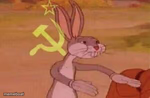
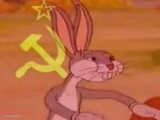
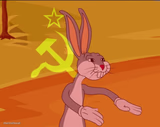
Also known as: Communist Bugs Bunny Our X · Communist Bugs Bunny · Soviet Bugs Bunny
Create our memes with custom text. Based on user examples about ChatGPT interactions and code adjustments. Add your captions and download free.
Blank our meme template
Download the blank our template to caption it yourself, or add your text right here in the editor above and download the finished meme.
our template facts
- Dimensions
- 300 × 196 px
- Format
- JPG
- Text boxes
- 2
- Added
- 2026
About the our meme template
Start with a relatable first-person perspective, then follow up with the unexpected twist or outcome. This two-part structure works well for highlighting the gap between expectations and reality.
The our template suits situations where you're describing a progression or change in circumstances. Users have applied it to ChatGPT coding scenarios, showing the shift from initial requests to later results. The format works when you want to contrast your original intention with what actually happened.
Add your own text to create personalized versions of this meme template, then download your finished meme to share.
Popular our caption ideas
*me asking ChatGPT to adjust MY code for my task's requirement* · ChatGPT a few prompts later:


our meme FAQ
How do I make a our meme?
Scroll up to the our template, type your caption into the 2 text boxes in the editor above, adjust the font, size and color if you like, then click download. Your finished our meme is ready to share in seconds.
Can I use the our template for free?
Yes. The our template is completely free to use — no signup and no limits on how many memes you create or where you share them.
How do I download my our meme?
Click the download button under the editor once your our meme looks right. It saves straight to your device as a high-quality PNG or JPEG image.
How do I download the blank our template?
Use the "Download blank template" button in the blank our template section above to save the original, un-captioned image — handy if you'd rather caption it in another app or keep a copy.