
Medieval Scribe Writing Meme Generator
Create Your Medieval Scribe Writing Meme
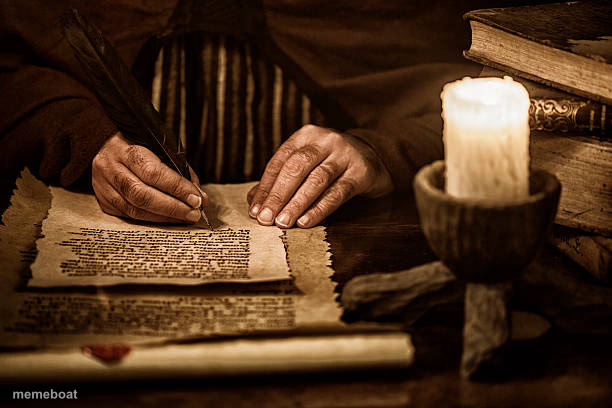
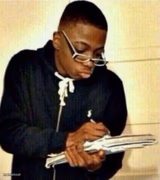
Weathered hands writing on parchment by candlelight, old books stacked nearby. Ideal for 'writing my will' or dramatic old-world jokes. Free to caption.
Blank Medieval Scribe Writing meme template
Download the blank Medieval Scribe Writing template to caption it yourself, or add your text right here in the editor above and download the finished meme.
When to use the Medieval Scribe Writing meme
- Writing an unnecessarily dramatic text apology
- Drafting your resignation letter in your head
- Finally writing down that New Year's resolution in July
Medieval Scribe Writing template facts
- Dimensions
- 612 × 408 px
- Format
- JPG
- Added
- 2025
About the Medieval Scribe Writing meme template
Candlelight, parchment, quill, and a stack of ancient-looking books — this is peak 'medieval scholar burning the midnight oil' energy. The kind of scene you'd expect right before a plot twist in a fantasy movie.
Great for jokes about writing things that feel way more dramatic than they actually are, like a group chat apology or a strongly worded email.
Templates similar to Medieval Scribe Writing
Medieval Scribe Writing meme FAQ
How do I make a Medieval Scribe Writing meme?
Scroll up to the Medieval Scribe Writing template, add your own text boxes in the editor above and type your captions, adjust the font, size and color if you like, then click download. Your finished Medieval Scribe Writing meme is ready to share in seconds.
Can I use the Medieval Scribe Writing template for free?
Yes. The Medieval Scribe Writing template is completely free to use — no signup and no limits on how many memes you create or where you share them.
How do I download my Medieval Scribe Writing meme?
Click the download button under the editor once your Medieval Scribe Writing meme looks right. It saves straight to your device as a high-quality PNG or JPEG image.
How do I download the blank Medieval Scribe Writing template?
Use the "Download blank template" button in the blank Medieval Scribe Writing template section above to save the original, un-captioned image — handy if you'd rather caption it in another app or keep a copy.