
now what Meme Generator
Create Your now what Meme
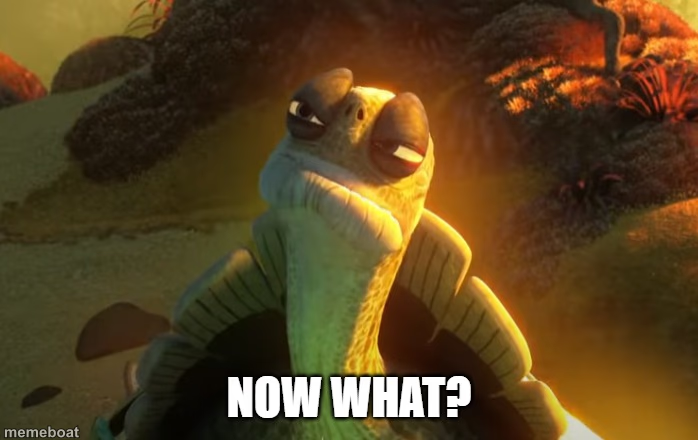
Make hilarious Now What memes instantly with our free generator. Create viral content in seconds—no signup required! Start making funny memes now.
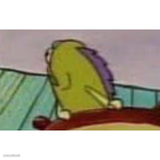
Blank now what meme template
Download the blank now what template to caption it yourself, or add your text right here in the editor above and download the finished meme.
now what template facts
- Dimensions
- 698 × 440 px
- Format
- PNG
- Added
- 2025
About the now what meme template
The "Now What" meme template originates from the iconic character Master Oogway in the Kung Fu Panda franchise, symbolizing moments of uncertainty and reflection. This meme gained viral traction across social media platforms around 2016, becoming a staple in internet culture for expressing relatable feelings of confusion or seeking inner peace. As a viral phenomenon, it resonates deeply with audiences who appreciate humor blended with philosophical undertones, making it a popular choice in meme culture.
Using the "Now What" meme template is perfect for capturing those moments when plans fall apart or when someone faces unexpected challenges. It’s ideal for social media content creators looking to share funny reactions or relatable moments that connect with their audience. Whether you're posting on Instagram, Twitter, Facebook, or TikTok, this meme works well to convey humorous yet thoughtful messages. Learn how to use the template effectively by customizing text that reflects everyday dilemmas or comedic inner thoughts, making your posts engaging and shareable.
The "Now What" meme remains popular due to its versatility and emotional resonance. With our easy-to-use online generator, you can create, customize, and personalize your own "Now What" memes instantly—no design skills needed. This meme maker delivers quick results, helping you build viral content that drives social media engagement and laughter. Don’t wait—generate your funny "Now What" meme now and share it across your favorite platforms to join millions enjoying this trending meme template.
Templates similar to now what
now what meme FAQ
How do I make a now what meme?
Scroll up to the now what template, add your own text boxes in the editor above and type your captions, adjust the font, size and color if you like, then click download. Your finished now what meme is ready to share in seconds.
Can I use the now what template for free?
Yes. The now what template is completely free to use — no signup and no limits on how many memes you create or where you share them.
How do I download my now what meme?
Click the download button under the editor once your now what meme looks right. It saves straight to your device as a high-quality PNG or JPEG image.
How do I download the blank now what template?
Use the "Download blank template" button in the blank now what template section above to save the original, un-captioned image — handy if you'd rather caption it in another app or keep a copy.