
Not Scary Meme Generator
Create Your Not Scary Meme

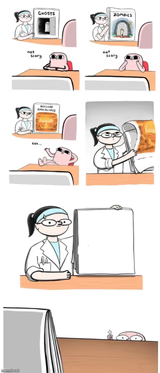
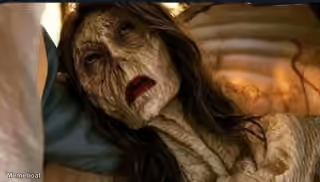
Use the Not Scary meme template to caption things that should be frightening but aren't. Add your text and download free at memebo.at.
Blank Not Scary meme template
Download the blank Not Scary template to caption it yourself, or add your text right here in the editor above and download the finished meme.
Not Scary template facts
- Dimensions
- 500 × 1166 px
- Format
- JPG
- Text boxes
- 2
- Added
- 2026
About the Not Scary meme template
Pick something that carries a reputation for being daunting or intimidating, then name it in your caption. The joke lands when the gap between the expected dread and the reality is obvious — like captioning it "Math" to say the subject isn't as fearsome as advertised.
The Not Scary format works well for subjects people typically dread: hard exams, difficult conversations, spooky movies, or anything with an outsized scary reputation. Keep the caption short — one word or a brief phrase punches harder than a full sentence.
Caption and download your own version free at memebo.at. No account needed.
Popular Not Scary caption ideas
Math
Templates similar to Not Scary



Not Scary meme FAQ
How do I make a Not Scary meme?
Scroll up to the Not Scary template, type your caption into the 2 text boxes in the editor above, adjust the font, size and color if you like, then click download. Your finished Not Scary meme is ready to share in seconds.
Can I use the Not Scary template for free?
Yes. The Not Scary template is completely free to use — no signup and no limits on how many memes you create or where you share them.
How do I download my Not Scary meme?
Click the download button under the editor once your Not Scary meme looks right. It saves straight to your device as a high-quality PNG or JPEG image.
How do I download the blank Not Scary template?
Use the "Download blank template" button in the blank Not Scary template section above to save the original, un-captioned image — handy if you'd rather caption it in another app or keep a copy.