
Startled Cat Closeup Meme Generator
Create Your Startled Cat Closeup Meme
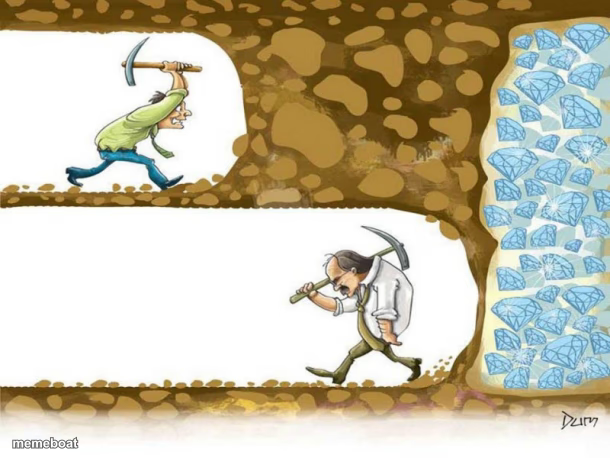
Also known as: Never Give Up Miner · Never Give Up · Don't Give Up · Cartoon Miners · Reaching Diamonds · Man Quits Before Diamonds · Diamond Farming Never Quit Gambling · Diamond Miner · Digging for Diamonds
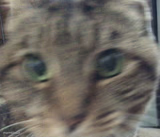
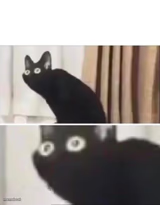
An extreme closeup of a cat with wide shocked eyes, perfect for reacting to surprising news, sudden fear, or pure disbelief. Caption and download it free, no sign-up needed.
Blank Startled Cat Closeup meme template
Download the blank Startled Cat Closeup template to caption it yourself, or add your text right here in the editor above and download the finished meme.
Startled Cat Closeup template facts
- Dimensions
- 610 × 458 px
- Format
- JPG
- Text boxes
- 2
- Added
- 2025
About the Startled Cat Closeup meme template
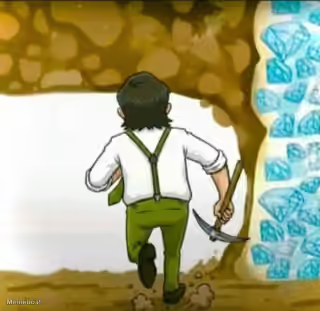
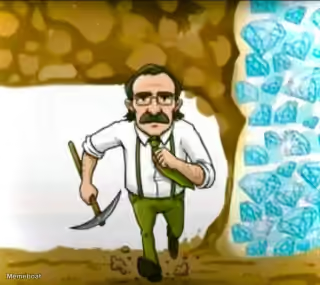
The "Never Give Up" meme template draws inspiration from the timeless metaphor of diamond mining, symbolizing perseverance and resilience. Emerging as a viral phenomenon on social media platforms around 2021, this meme quickly became a staple in internet culture for expressing determination in humorous and relatable ways. Its roots in digital culture highlight the power of persistence, making it a popular choice for users seeking to convey motivation with a comedic twist. As a meme type, the "Never Give Up" template encapsulates the essence of viral content and social media engagement, resonating deeply with audiences worldwide.
Knowing how to use the "Never Give Up" meme template effectively can elevate your social media content and boost engagement. Perfect for illustrating moments of struggle, determination, or unexpected success, this meme works well in contexts ranging from personal challenges to pop culture references. If you're wondering how to make a "Never Give Up" meme or when to post it, consider sharing it during motivational campaigns, funny reaction threads, or relatable moments that highlight persistence. Its versatility makes it ideal for Instagram, Twitter, Facebook, and TikTok, where funny and relatable memes thrive. By tapping into these emotional contexts, you can create content that resonates and entertains your audience.
The "Never Give Up" meme remains popular due to its universal message and easy customization options. With our free online generator, you can create, personalize, and generate your own "Never Give Up" memes instantly—no design skills needed. This meme template’s viral potential is amplified by its shareability across social media channels, encouraging laughter and inspiration simultaneously. Whether you want to build funny, trending content or craft shareable memes that connect with millions, this template offers quick and easy results. Start making your own "Never Give Up" meme now and join the ranks of meme creators driving viral internet culture today!
Popular Startled Cat Closeup caption ideas
Never give up
"YOU GIVING UP"? "NAW · I'M ABOUT TO HIT DIAMONDS, BUT NEED A WHEELBARROW TO COLLECT THEM".
gambling
GAMBLING · GAMBLING
Success
NEVER GIVE UP AS YOU NEVER KNOWN · HOW CLOSE YOU ARE TO SUCCESS!
$REWARB
TRUST $REWARB · FADE $REWARB FADE YOUR FUTURE
Internal Strength
NEVER GIVE UP ON · TOMORROW
Hooke s law
ELASTIC LIMIT / NATURE'S LOGIC LIMIT · HOOKE'S LAW LIMIT / HUMAN'S LOGIC LIMIT
When you hear your name · in a group chat you muted
Me checking my phone at 3am · and seeing 47 notifications
That face when the teacher says · pop quiz today
Templates similar to Startled Cat Closeup

Startled Cat Closeup meme FAQ
How do I make a Startled Cat Closeup meme?
Scroll up to the Startled Cat Closeup template, type your caption into the 2 text boxes in the editor above, adjust the font, size and color if you like, then click download. Your finished Startled Cat Closeup meme is ready to share in seconds.
Can I use the Startled Cat Closeup template for free?
Yes. The Startled Cat Closeup template is completely free to use — no signup and no limits on how many memes you create or where you share them.
How do I download my Startled Cat Closeup meme?
Click the download button under the editor once your Startled Cat Closeup meme looks right. It saves straight to your device as a high-quality PNG or JPEG image.
How do I download the blank Startled Cat Closeup template?
Use the "Download blank template" button in the blank Startled Cat Closeup template section above to save the original, un-captioned image — handy if you'd rather caption it in another app or keep a copy.