
Nah, I'm done... Meme Generator
Create Your Nah, I'm done... Meme

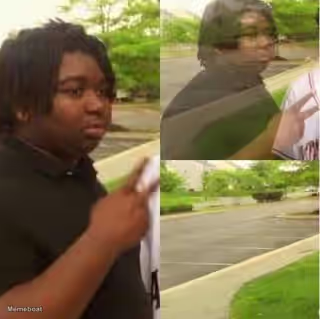
Express giving up or walking away from disappointing situations with the Nah, I'm Done meme template. Add your own text and download for free.
Blank Nah, I'm done... meme template
Download the blank Nah, I'm done... template to caption it yourself, or add your text right here in the editor above and download the finished meme.
Nah, I'm done... template facts
- Dimensions
- 828 × 573 px
- Format
- PNG
- Added
- 2026
- Memes made
- 1
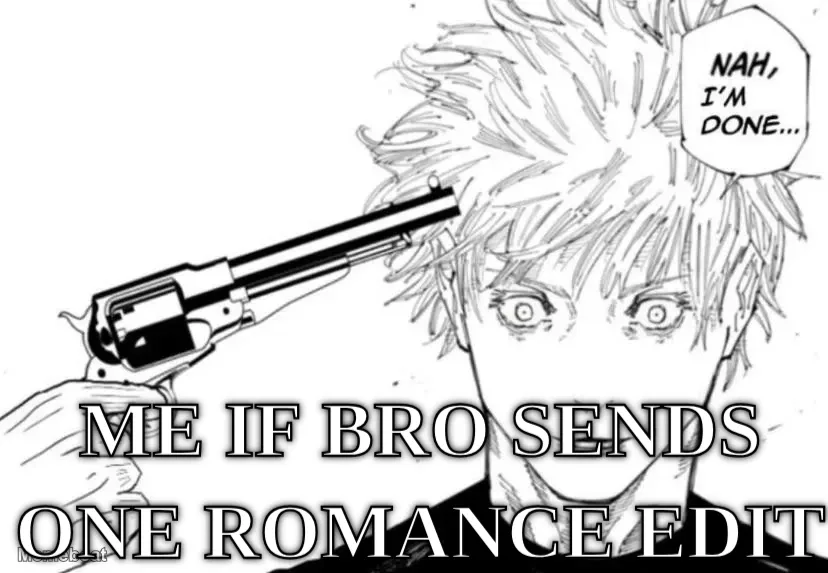
About the Nah, I'm done... meme template
When you need to capture that moment of throwing in the towel, this template delivers the perfect fed-up energy. The format works best for situations where someone or something has crossed your final line.
Your captions should set up a scenario where loyalty, patience, or commitment gets tested and fails. Think about relationships, expectations, or promises that fall apart at the worst moment. The stronger the contrast between what you expected and what actually happened, the better the joke lands.
Add your own text to create custom memes that capture those fed-up moments. Download your finished meme for free and share your take on walking away.
Popular Nah, I'm done... caption ideas
My so-called "bro for life" the second I get kidnapped
Templates similar to Nah, I'm done...


Nah, I'm done... meme FAQ
How do I make a Nah, I'm done... meme?
Scroll up to the Nah, I'm done... template, add your own text boxes in the editor above and type your captions, adjust the font, size and color if you like, then click download. Your finished Nah, I'm done... meme is ready to share in seconds.
Can I use the Nah, I'm done... template for free?
Yes. The Nah, I'm done... template is completely free to use — no signup and no limits on how many memes you create or where you share them.
How do I download my Nah, I'm done... meme?
Click the download button under the editor once your Nah, I'm done... meme looks right. It saves straight to your device as a high-quality PNG or JPEG image.
How do I download the blank Nah, I'm done... template?
Use the "Download blank template" button in the blank Nah, I'm done... template section above to save the original, un-captioned image — handy if you'd rather caption it in another app or keep a copy.