
Mt. Everest Meme Generator
Create Your Mt. Everest Meme
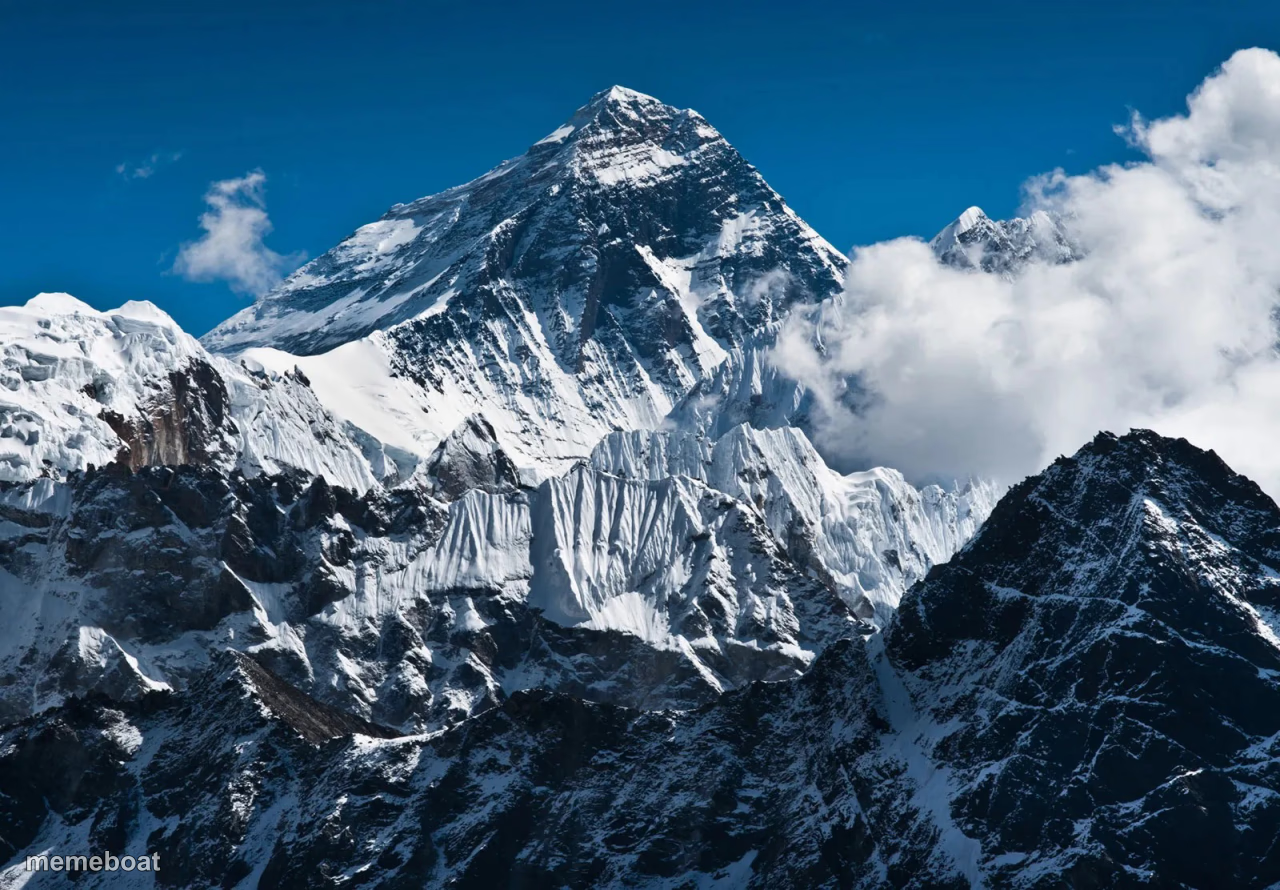
The tallest mountain on Earth against a blue sky, perfect for jokes about impossible goals, huge flexes, or peak anything. Caption it free, no sign-up.
Blank Mt. Everest meme template
Download the blank Mt. Everest template to caption it yourself, or add your text right here in the editor above and download the finished meme.
When to use the Mt. Everest meme
- Comparing a mundane achievement to conquering the tallest mountain on Earth
- Captioning an insurmountable pile of laundry, debt, or emails
- Mocking someone's wildly exaggerated 'small' problem
- Setting up a 'the real mountain was...' punchline
Mt. Everest template facts
- Featuring
- Mount Everest (photograph)
- Dimensions
- 1280 × 890 px
- Format
- JPG
- Added
- 2025
About the Mt. Everest meme template
Mount Everest doesn't need an introduction — it's the universal shorthand for 'this is the biggest thing that exists.' Use it whenever a caption needs actual, literal, geographical scale.
Great for career milestones, gym gains, credit card debt, or any time you want to compare something ordinary to the tallest point on the planet. Add your text and download it free in seconds.
Templates similar to Mt. Everest


Mt. Everest meme FAQ
How do I make a Mt. Everest meme?
Scroll up to the Mt. Everest template, add your own text boxes in the editor above and type your captions, adjust the font, size and color if you like, then click download. Your finished Mt. Everest meme is ready to share in seconds.
Can I use the Mt. Everest template for free?
Yes. The Mt. Everest template is completely free to use — no signup and no limits on how many memes you create or where you share them.
How do I download my Mt. Everest meme?
Click the download button under the editor once your Mt. Everest meme looks right. It saves straight to your device as a high-quality PNG or JPEG image.
How do I download the blank Mt. Everest template?
Use the "Download blank template" button in the blank Mt. Everest template section above to save the original, un-captioned image — handy if you'd rather caption it in another app or keep a copy.