
Mr.Chips Telling Scooter To Sit Down Meme Generator
Create Your Mr.Chips Telling Scooter To Sit Down Meme

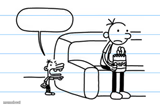
A cartoon kid in a red cap gets scolded by a wheeled robot with a blinking digital face. Perfect for awkward standoffs. Caption it free, no sign-up.
Blank Mr.Chips Telling Scooter To Sit Down meme template
Download the blank Mr.Chips Telling Scooter To Sit Down template to caption it yourself, or add your text right here in the editor above and download the finished meme.
When to use the Mr.Chips Telling Scooter To Sit Down meme
- A kid getting told off by a machine that clearly outsmarts him
- Any tense confrontation between a human and an unimpressed appliance
- Two stubborn parties refusing to blink first
- When the robot vacuum has had enough of your nonsense
Mr.Chips Telling Scooter To Sit Down template facts
- Dimensions
- 720 × 526 px
- Format
- JPG
- Text boxes
- 2
- Added
- 2026
About the Mr.Chips Telling Scooter To Sit Down meme template
When you need to show someone getting shut down or told to stop their behavior, this template captures that commanding moment. The format works well for situations where one person is firmly telling another to cease what they're doing.
Based on the captions users create, this meme often focuses on blocking and reporting unwanted online content. The template lets you set up a scenario where someone crosses a line, then show the decisive response. Try putting the problematic behavior or person in the first caption, then your reaction in the second.
Add your own text to both sections and download your finished meme instantly.
Popular Mr.Chips Telling Scooter To Sit Down caption ideas
FOSTERIASKEW789: · ME: · BLOCKING AND REPORTING HIS CONTENCT
ME TRYING TO NEGOTIATE WITH MY WI-FI ROUTER · ROUTER: NO
WHEN THE SELF-CHECKOUT MACHINE CALLS FOR ASSISTANCE · AGAIN
MY ALARM CLOCK AFTER I HIT SNOOZE FOR THE 5TH TIME · SIT DOWN
Templates similar to Mr.Chips Telling Scooter To Sit Down





Mr.Chips Telling Scooter To Sit Down meme FAQ
How do I make a Mr.Chips Telling Scooter To Sit Down meme?
Scroll up to the Mr.Chips Telling Scooter To Sit Down template, type your caption into the 2 text boxes in the editor above, adjust the font, size and color if you like, then click download. Your finished Mr.Chips Telling Scooter To Sit Down meme is ready to share in seconds.
Can I use the Mr.Chips Telling Scooter To Sit Down template for free?
Yes. The Mr.Chips Telling Scooter To Sit Down template is completely free to use — no signup and no limits on how many memes you create or where you share them.
How do I download my Mr.Chips Telling Scooter To Sit Down meme?
Click the download button under the editor once your Mr.Chips Telling Scooter To Sit Down meme looks right. It saves straight to your device as a high-quality PNG or JPEG image.
How do I download the blank Mr.Chips Telling Scooter To Sit Down template?
Use the "Download blank template" button in the blank Mr.Chips Telling Scooter To Sit Down template section above to save the original, un-captioned image — handy if you'd rather caption it in another app or keep a copy.