
Mr Incredible becoming sad Meme Generator
Create Your Mr Incredible becoming sad Meme
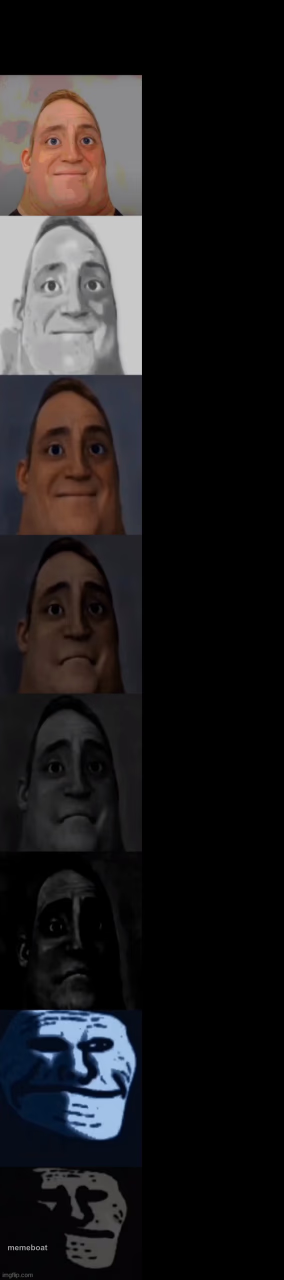
Mr. Incredible's smile slowly decaying into uncanny horror across 9 panels — the classic escalating dread meme. Caption and download it free.
Blank Mr Incredible becoming sad meme template
Download the blank Mr Incredible becoming sad template to caption it yourself, or add your text right here in the editor above and download the finished meme.
When to use the Mr Incredible becoming sad meme
- Tracking a project's mood from kickoff to deadline week
- Charting how a diet goes from day 1 to day 9
- Showing a group chat's vibe shift over one bad week
- Documenting a Wi-Fi connection's decline during a big download
Mr Incredible becoming sad template facts
- Featuring
- Mr. Incredible (The Incredibles)
- Dimensions
- 284 × 1280 px
- Format
- JPG
- Text boxes
- 9
- Added
- 2025
About the Mr Incredible becoming sad meme template
Nine frames of Mr. Incredible's face sliding from a warm, happy smile into grainy, distorted, nightmare-fuel despair. It's the internet's favorite way to show something getting slowly, horribly worse.
Use it for anything that starts fine and spirals: a Monday, a group chat, a diet, a Wi-Fi connection. Each panel should mark a new stage of decline, ending in total existential collapse by the last frame.
Popular Mr Incredible becoming sad caption ideas
IT'S 2025 AND YOU REALIZE · 2024 WAS 1 YEARS AGO · 2023 WAS 2 YEARS AGO · 2022 WAS 3 YEARS AGO · 2021 WAS 4 YEARS AGO · 2020 WAS 5 YEARS AGO · 2019 WAS 6 YEARS AGO · 2018 WAS 7 YEARS AGO · 2017 WAS 8 YEARS AGO
Day 1 of the gym · Day 2 · Day 3 · Day 4 (leg day) · Day 5 · Day 6 · Day 7 · Day 8 · Day 9: I quit
Opening my paycheck · seeing the taxes · seeing rent · seeing student loans · seeing groceries · seeing subscriptions · seeing car payment · checking savings · $4.12
Monday · Tuesday · Wednesday · Thursday hump day energy · Thursday afternoon · Thursday evening · still Thursday somehow · checking the clock · it's only Thursday
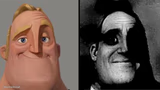
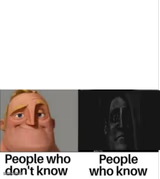
Templates similar to Mr Incredible becoming sad






Mr Incredible becoming sad meme FAQ
How do I make a Mr Incredible becoming sad meme?
Scroll up to the Mr Incredible becoming sad template, type your caption into the 9 text boxes in the editor above, adjust the font, size and color if you like, then click download. Your finished Mr Incredible becoming sad meme is ready to share in seconds.
Can I use the Mr Incredible becoming sad template for free?
Yes. The Mr Incredible becoming sad template is completely free to use — no signup and no limits on how many memes you create or where you share them.
How do I download my Mr Incredible becoming sad meme?
Click the download button under the editor once your Mr Incredible becoming sad meme looks right. It saves straight to your device as a high-quality PNG or JPEG image.
How do I download the blank Mr Incredible becoming sad template?
Use the "Download blank template" button in the blank Mr Incredible becoming sad template section above to save the original, un-captioned image — handy if you'd rather caption it in another app or keep a copy.