
Mount Rushmore Meme Generator
Create Your Mount Rushmore Meme

Create Mount Rushmore memes with custom text. Perfect for group friendship jokes and squad references. Add your caption and download instantly.
Blank Mount Rushmore meme template
Download the blank Mount Rushmore template to caption it yourself, or add your text right here in the editor above and download the finished meme.
Mount Rushmore template facts
- Dimensions
- 1280 × 960 px
- Format
- JPG
- Added
- 2026
About the Mount Rushmore meme template
This format works by placing your text over the Mount Rushmore monument image, creating jokes about groups of four. The setup relies on the iconic four-face structure to represent yourself and three companions or favorites.
Captions work best when they reference tight-knit groups or squads. The "me and the boys" angle captures friendship dynamics, while you could also list four favorite things in a category. Keep your text short and punchy to match the bold visual.
The format hits hardest when your four-person reference feels exclusive or relatable to your specific audience.
Popular Mount Rushmore caption ideas
ME AND THE MOUNT RUSHMORE BOYS
Templates similar to Mount Rushmore

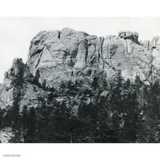
Mount Rushmore meme FAQ
How do I make a Mount Rushmore meme?
Scroll up to the Mount Rushmore template, add your own text boxes in the editor above and type your captions, adjust the font, size and color if you like, then click download. Your finished Mount Rushmore meme is ready to share in seconds.
Can I use the Mount Rushmore template for free?
Yes. The Mount Rushmore template is completely free to use — no signup and no limits on how many memes you create or where you share them.
How do I download my Mount Rushmore meme?
Click the download button under the editor once your Mount Rushmore meme looks right. It saves straight to your device as a high-quality PNG or JPEG image.
How do I download the blank Mount Rushmore template?
Use the "Download blank template" button in the blank Mount Rushmore template section above to save the original, un-captioned image — handy if you'd rather caption it in another app or keep a copy.