
MMMMMMMM Meme Generator
Create Your MMMMMMMM Meme
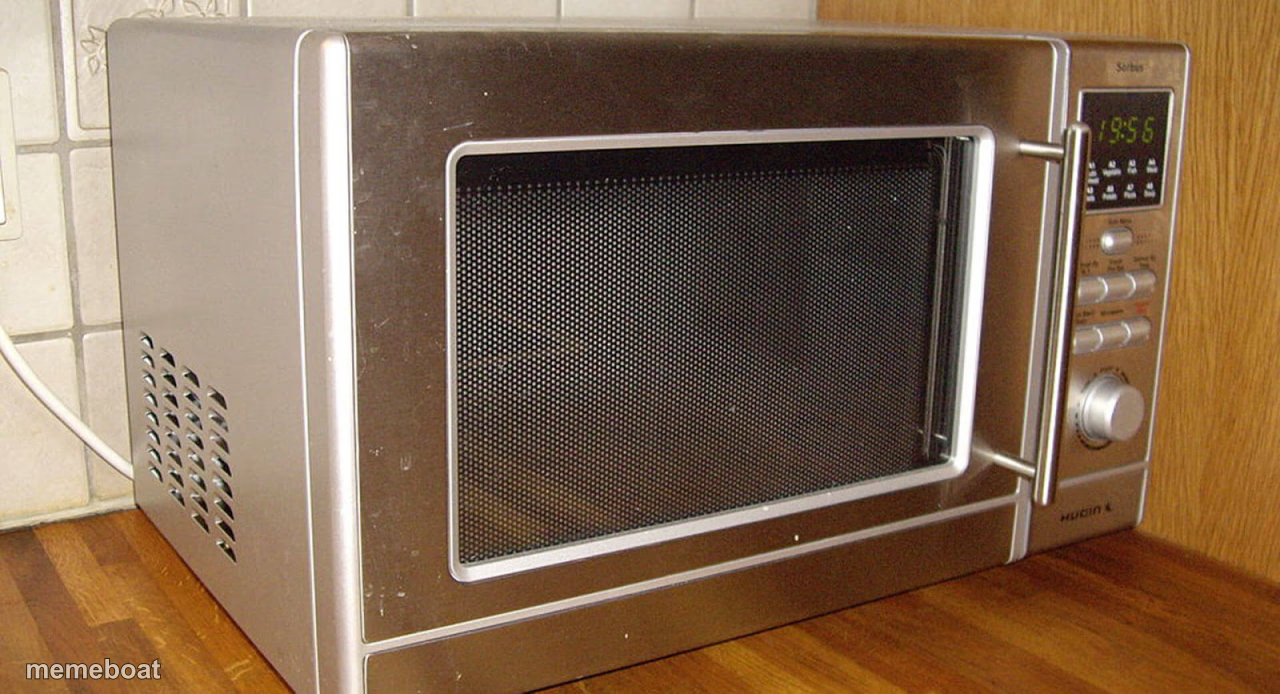
A dated stainless-steel microwave sitting on a kitchen counter — the deadpan meme template for boring, mundane, or oddly specific captions. Free to caption and download.
Blank MMMMMMMM meme template
Download the blank MMMMMMMM template to caption it yourself, or add your text right here in the editor above and download the finished meme.
When to use the MMMMMMMM meme
- Giving a completely boring object dramatic main-character energy
- The most anticlimactic 'plot twist' you can think of
- Captioning something mundane as if it's a huge reveal
- Reheating the same leftovers for the fourth day in a row
MMMMMMMM template facts
- Dimensions
- 1280 × 694 px
- Format
- JPG
- Text boxes
- 1
- Added
- 2025
About the MMMMMMMM meme template
Just a microwave. An old, slightly dusty, very stainless-steel microwave sitting on a counter, door open, buttons worn from years of reheating leftovers. There's nothing dramatic happening here, and that's the whole joke.
Great for deadpan captions, mundane 'plot twists,' or pretending an appliance has main character energy. Works best when the text says something wildly out of place next to a picture this ordinary.
Popular MMMMMMMM caption ideas
my one and only witness
the last appliance standing after the divorce
nobody: this microwave: exists



MMMMMMMM meme FAQ
How do I make a MMMMMMMM meme?
Scroll up to the MMMMMMMM template, type your caption into the text box in the editor above, adjust the font, size and color if you like, then click download. Your finished MMMMMMMM meme is ready to share in seconds.
Can I use the MMMMMMMM template for free?
Yes. The MMMMMMMM template is completely free to use — no signup and no limits on how many memes you create or where you share them.
How do I download my MMMMMMMM meme?
Click the download button under the editor once your MMMMMMMM meme looks right. It saves straight to your device as a high-quality PNG or JPEG image.
How do I download the blank MMMMMMMM template?
Use the "Download blank template" button in the blank MMMMMMMM template section above to save the original, un-captioned image — handy if you'd rather caption it in another app or keep a copy.