
Meme man stronk Meme Generator
Create Your Meme man stronk Meme
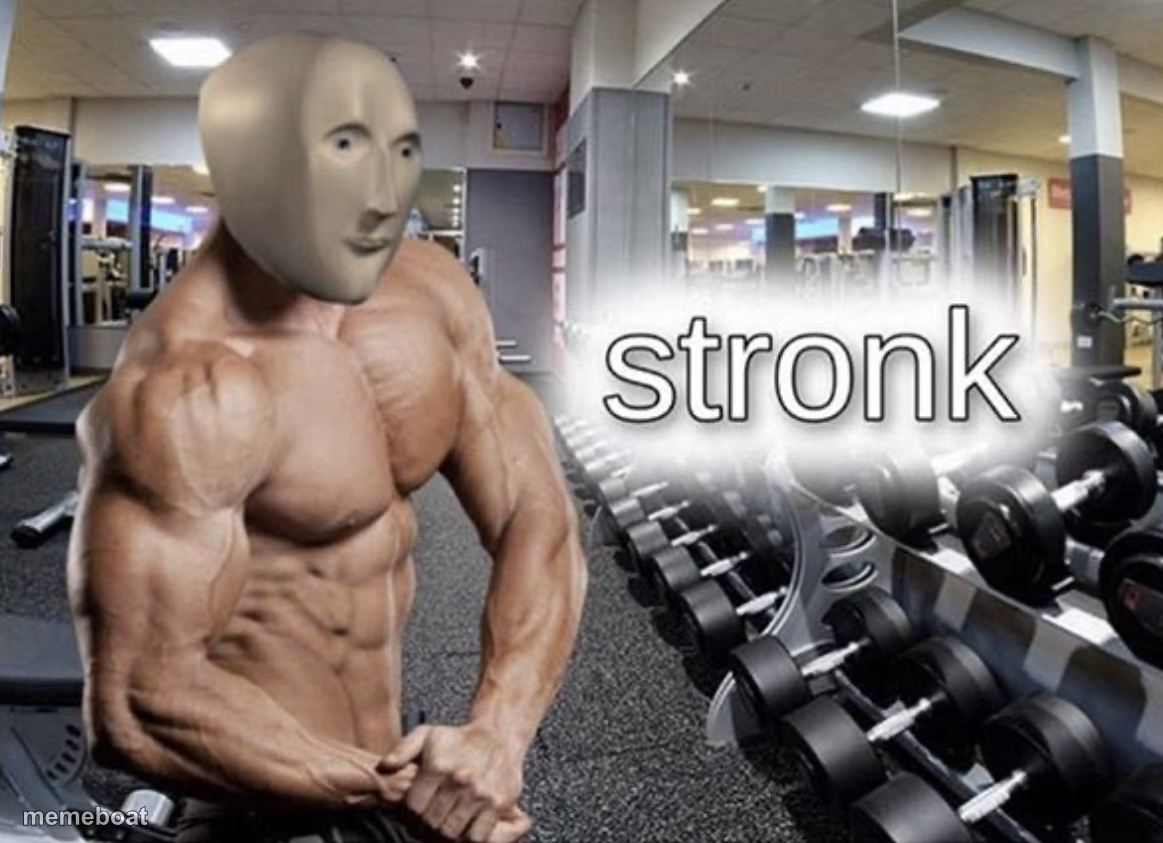
Meme Man's blank oval face photoshopped onto a bodybuilder in a gym next to the word 'stronk' — the deliberately-dumb strength meme. Free to caption and download.
Blank Meme man stronk meme template
Download the blank Meme man stronk template to caption it yourself, or add your text right here in the editor above and download the finished meme.
When to use the Meme man stronk meme
- Flexing about finishing a workout you almost skipped
- Bragging about a completely unimpressive achievement like it's a gym PR
- Reacting to someone overselling their strength or skill
- Captioning any 'I did the bare minimum and feel amazing' moment
Meme man stronk template facts
- Featuring
- Meme Man (Meme Man series)
- Dimensions
- 1163 × 843 px
- Format
- JPG
- Added
- 2025
About the Meme man stronk meme template
Meme Man's featureless face on an absolutely shredded bodybuilder body, standing in a gym like he owns it, with 'stronk' floating next to him because correct spelling is for the weak.
It's the go-to for flexing about anything — literal gains, video game builds, spreadsheet skills, whatever. The dumber the achievement, the funnier the caption.
Templates similar to Meme man stronk

Meme man stronk meme FAQ
How do I make a Meme man stronk meme?
Scroll up to the Meme man stronk template, add your own text boxes in the editor above and type your captions, adjust the font, size and color if you like, then click download. Your finished Meme man stronk meme is ready to share in seconds.
Can I use the Meme man stronk template for free?
Yes. The Meme man stronk template is completely free to use — no signup and no limits on how many memes you create or where you share them.
How do I download my Meme man stronk meme?
Click the download button under the editor once your Meme man stronk meme looks right. It saves straight to your device as a high-quality PNG or JPEG image.
How do I download the blank Meme man stronk template?
Use the "Download blank template" button in the blank Meme man stronk template section above to save the original, un-captioned image — handy if you'd rather caption it in another app or keep a copy.