
luffy Meme Generator
Create Your luffy Meme
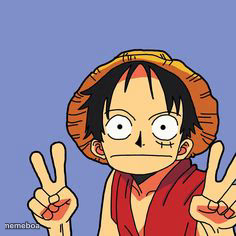
Luffy from One Piece throwing up double peace signs with his signature straw hat grin. Great for wholesome wins and anime flex moments — caption it free.
Blank luffy meme template
Download the blank luffy template to caption it yourself, or add your text right here in the editor above and download the finished meme.
When to use the luffy meme
- Finishing your last final of the semester
- Finding twenty bucks in an old jacket pocket
- Nailing a group photo on the first try
- Reacting to genuinely good news for once
luffy template facts
- Featuring
- Monkey D. Luffy (One Piece)
- Dimensions
- 236 × 236 px
- Format
- JPG
- Text boxes
- 2
- Added
- 2025
About the luffy meme template
Straw hat, giant grin, both hands up in peace signs — Luffy is having the best day of his life and he wants you to know it. This is the face of a man who just found food, or friendship, or both.
Use it for genuine good-mood moments: nailing something on the first try, finishing the week, finding money in your old jacket. It's peak wholesome-chaotic energy for anyone who wants their meme to feel like a victory lap.
Popular luffy caption ideas
ME AFTER MY LAST · FINAL EXAM
FOUND $20 · IN MY OLD JACKET
WHEN THE WIFI · COMES BACK ON
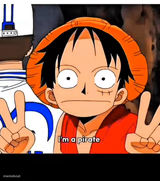
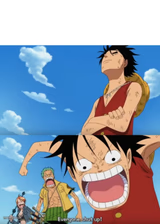
Templates similar to luffy
luffy meme FAQ
How do I make a luffy meme?
Scroll up to the luffy template, type your caption into the 2 text boxes in the editor above, adjust the font, size and color if you like, then click download. Your finished luffy meme is ready to share in seconds.
Can I use the luffy template for free?
Yes. The luffy template is completely free to use — no signup and no limits on how many memes you create or where you share them.
How do I download my luffy meme?
Click the download button under the editor once your luffy meme looks right. It saves straight to your device as a high-quality PNG or JPEG image.
How do I download the blank luffy template?
Use the "Download blank template" button in the blank luffy template section above to save the original, un-captioned image — handy if you'd rather caption it in another app or keep a copy.