
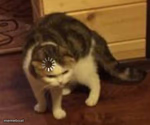
Loading cat Meme Generator
Create Your Loading cat Meme

Create Loading Cat memes with custom text. Perfect for awkward conversations and confused responses. Add captions and download your meme instantly.
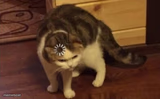
Blank Loading cat meme template
Download the blank Loading cat template to caption it yourself, or add your text right here in the editor above and download the finished meme.
Loading cat template facts
- Dimensions
- 300 × 250 px
- Format
- JPG
- Added
- 2026
About the Loading cat meme template
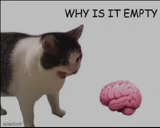
Try pairing awkward dialogue with the Loading Cat template for maximum comedic effect. The format works especially well when capturing those moments where someone misunderstands a question or gives an unexpectedly literal response.
This template shines in conversation-based scenarios where confusion or miscommunication creates humor. Whether it's mishearing what someone said or responding in an unexpectedly straightforward way to a loaded question, the format captures that brief pause before an awkward exchange unfolds.
Add your own text to create custom Loading Cat memes and download them instantly. The generator is completely free to use.
Popular Loading cat caption ideas
Cop: Are you high? Me: Hello, am I what? Cop: High · Me: Hello
Templates similar to Loading cat


Loading cat meme FAQ
How do I make a Loading cat meme?
Scroll up to the Loading cat template, add your own text boxes in the editor above and type your captions, adjust the font, size and color if you like, then click download. Your finished Loading cat meme is ready to share in seconds.
Can I use the Loading cat template for free?
Yes. The Loading cat template is completely free to use — no signup and no limits on how many memes you create or where you share them.
How do I download my Loading cat meme?
Click the download button under the editor once your Loading cat meme looks right. It saves straight to your device as a high-quality PNG or JPEG image.
How do I download the blank Loading cat template?
Use the "Download blank template" button in the blank Loading cat template section above to save the original, un-captioned image — handy if you'd rather caption it in another app or keep a copy.