
Shaggy What The Hell Scoob Meme Generator
Create Your Shaggy What The Hell Scoob Meme
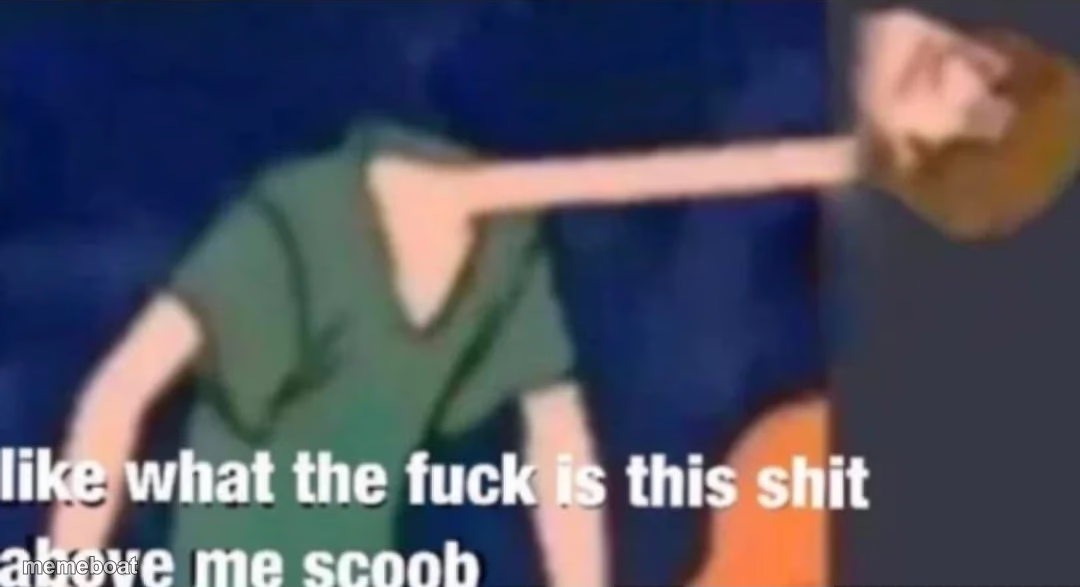
Shaggy from Scooby-Doo staring up in disbelief at something looming above him — built-in text asks Scoob what the hell that thing even is. Caption and download free.
Blank Shaggy What The Hell Scoob meme template
Download the blank Shaggy What The Hell Scoob template to caption it yourself, or add your text right here in the editor above and download the finished meme.
When to use the Shaggy What The Hell Scoob meme
- Reacting to a surprise notification, bill, or email subject line
- Staring up at a plot twist you cannot process
- Looking at your own to-do list first thing in the morning
Shaggy What The Hell Scoob template facts
- Featuring
- Shaggy Rogers (Scooby-Doo)
- Dimensions
- 1080 × 587 px
- Format
- PNG
- Added
- 2025
About the Shaggy What The Hell Scoob meme template
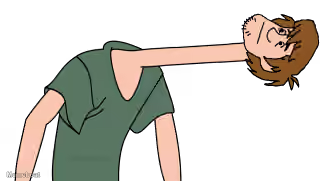
Shaggy's neck is basically a periscope here, craning up at some unidentifiable horror looming over his head while he asks Scooby what exactly they're looking at. It's peak cartoon dread mixed with comedic timing.
Templates similar to Shaggy What The Hell Scoob


Shaggy What The Hell Scoob meme FAQ
How do I make a Shaggy What The Hell Scoob meme?
Scroll up to the Shaggy What The Hell Scoob template, add your own text boxes in the editor above and type your captions, adjust the font, size and color if you like, then click download. Your finished Shaggy What The Hell Scoob meme is ready to share in seconds.
Can I use the Shaggy What The Hell Scoob template for free?
Yes. The Shaggy What The Hell Scoob template is completely free to use — no signup and no limits on how many memes you create or where you share them.
How do I download my Shaggy What The Hell Scoob meme?
Click the download button under the editor once your Shaggy What The Hell Scoob meme looks right. It saves straight to your device as a high-quality PNG or JPEG image.
How do I download the blank Shaggy What The Hell Scoob template?
Use the "Download blank template" button in the blank Shaggy What The Hell Scoob template section above to save the original, un-captioned image — handy if you'd rather caption it in another app or keep a copy.