
Toddler With Lighter Meme Generator
Create Your Toddler With Lighter Meme
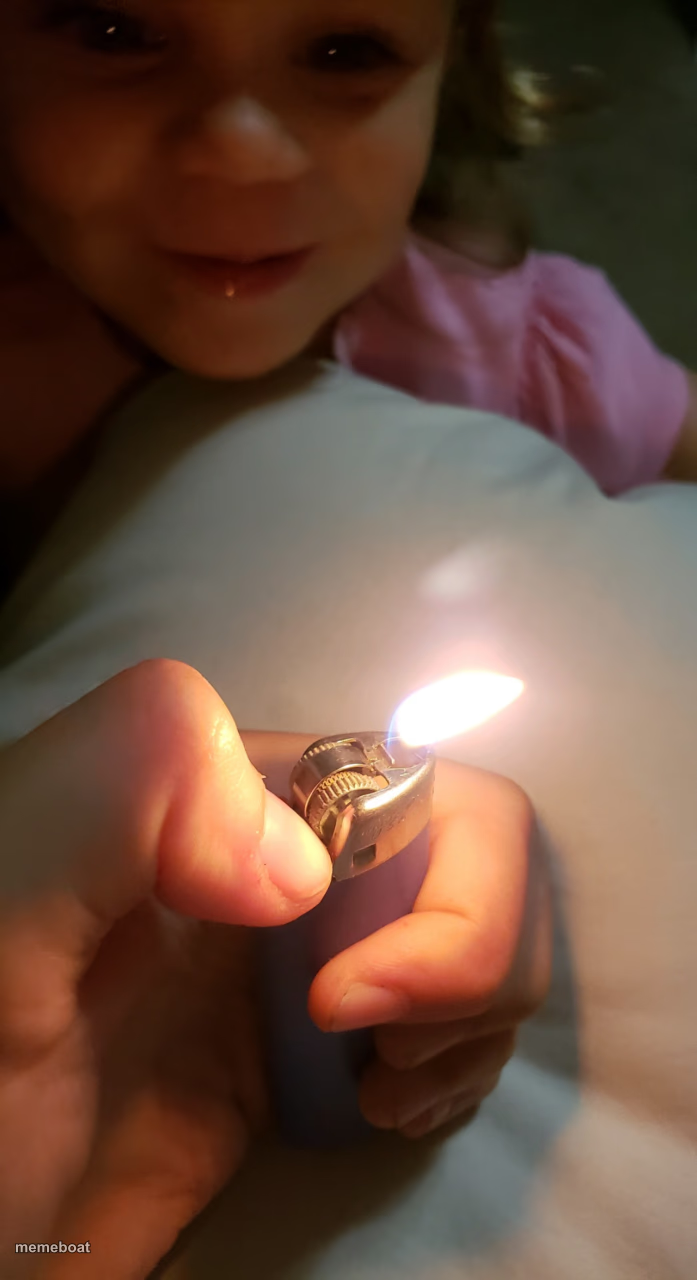
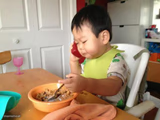
A toddler grinning next to a lit lighter held way too close. Great for chaotic-energy and bad-decision jokes — caption and download free.
Blank Toddler With Lighter meme template
Download the blank Toddler With Lighter template to caption it yourself, or add your text right here in the editor above and download the finished meme.
When to use the Toddler With Lighter meme
- That friend who says 'watch this' before something goes wrong
- Your reaction to a red warning light on the dashboard
- Playing with fire, literally and figuratively
- Curiosity right before it kills something
Toddler With Lighter template facts
- Dimensions
- 697 × 1280 px
- Format
- JPG
- Added
- 2025
About the Toddler With Lighter meme template
A little kid's face lit up (literally) by a lighter flame someone should not be holding this close to a child. The grin says pure chaotic curiosity, zero self-preservation instinct.
Use this for anyone about to do something reckless with a big dumb smile on their face — that one friend, your inner monologue before a bad idea, or just captioning any 'this is fine' moment.
Templates similar to Toddler With Lighter



Toddler With Lighter meme FAQ
How do I make a Toddler With Lighter meme?
Scroll up to the Toddler With Lighter template, add your own text boxes in the editor above and type your captions, adjust the font, size and color if you like, then click download. Your finished Toddler With Lighter meme is ready to share in seconds.
Can I use the Toddler With Lighter template for free?
Yes. The Toddler With Lighter template is completely free to use — no signup and no limits on how many memes you create or where you share them.
How do I download my Toddler With Lighter meme?
Click the download button under the editor once your Toddler With Lighter meme looks right. It saves straight to your device as a high-quality PNG or JPEG image.
How do I download the blank Toddler With Lighter template?
Use the "Download blank template" button in the blank Toddler With Lighter template section above to save the original, un-captioned image — handy if you'd rather caption it in another app or keep a copy.