
Laughing Don Draper Meme Generator
Create Your Laughing Don Draper Meme
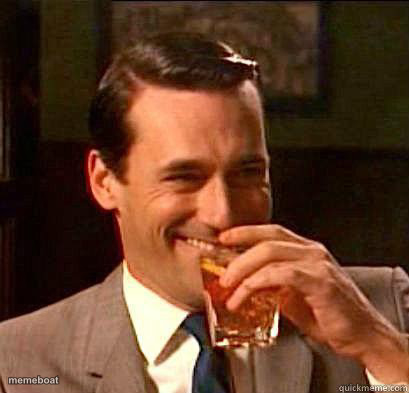
Also known as: Don Draper Laughing - Mad Men
Don Draper from Mad Men cracking up mid-drink at the bar — the perfect reaction for smug 'I told you so' or 'this is going great' moments. Free to caption.
Blank Laughing Don Draper meme template
Download the blank Laughing Don Draper template to caption it yourself, or add your text right here in the editor above and download the finished meme.
When to use the Laughing Don Draper meme
- When your plan actually works and you can't hide the smugness
- Reacting to a joke you're way too pleased with yourself about
- That confident laugh when you know you're winning
- Celebrating a win with a drink in hand like it's nothing
Laughing Don Draper template facts
- Featuring
- Don Draper (Mad Men)
- Dimensions
- 409 × 393 px
- Format
- JPG
- Added
- 2025
About the Laughing Don Draper meme template
Don Draper, mid-laugh with a whiskey in hand, looking like he just landed the ad campaign of the century and knows it. That grey suit, that smug charm, that 1960s Madison Avenue confidence oozing out of every frame.
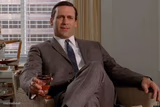
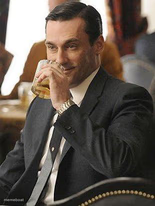
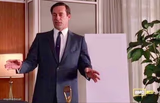
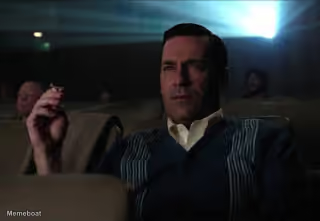
Templates similar to Laughing Don Draper

Laughing Don Draper meme FAQ
How do I make a Laughing Don Draper meme?
Scroll up to the Laughing Don Draper template, add your own text boxes in the editor above and type your captions, adjust the font, size and color if you like, then click download. Your finished Laughing Don Draper meme is ready to share in seconds.
Can I use the Laughing Don Draper template for free?
Yes. The Laughing Don Draper template is completely free to use — no signup and no limits on how many memes you create or where you share them.
How do I download my Laughing Don Draper meme?
Click the download button under the editor once your Laughing Don Draper meme looks right. It saves straight to your device as a high-quality PNG or JPEG image.
How do I download the blank Laughing Don Draper template?
Use the "Download blank template" button in the blank Laughing Don Draper template section above to save the original, un-captioned image — handy if you'd rather caption it in another app or keep a copy.