
Kirara stare Meme Generator
Create Your Kirara stare Meme
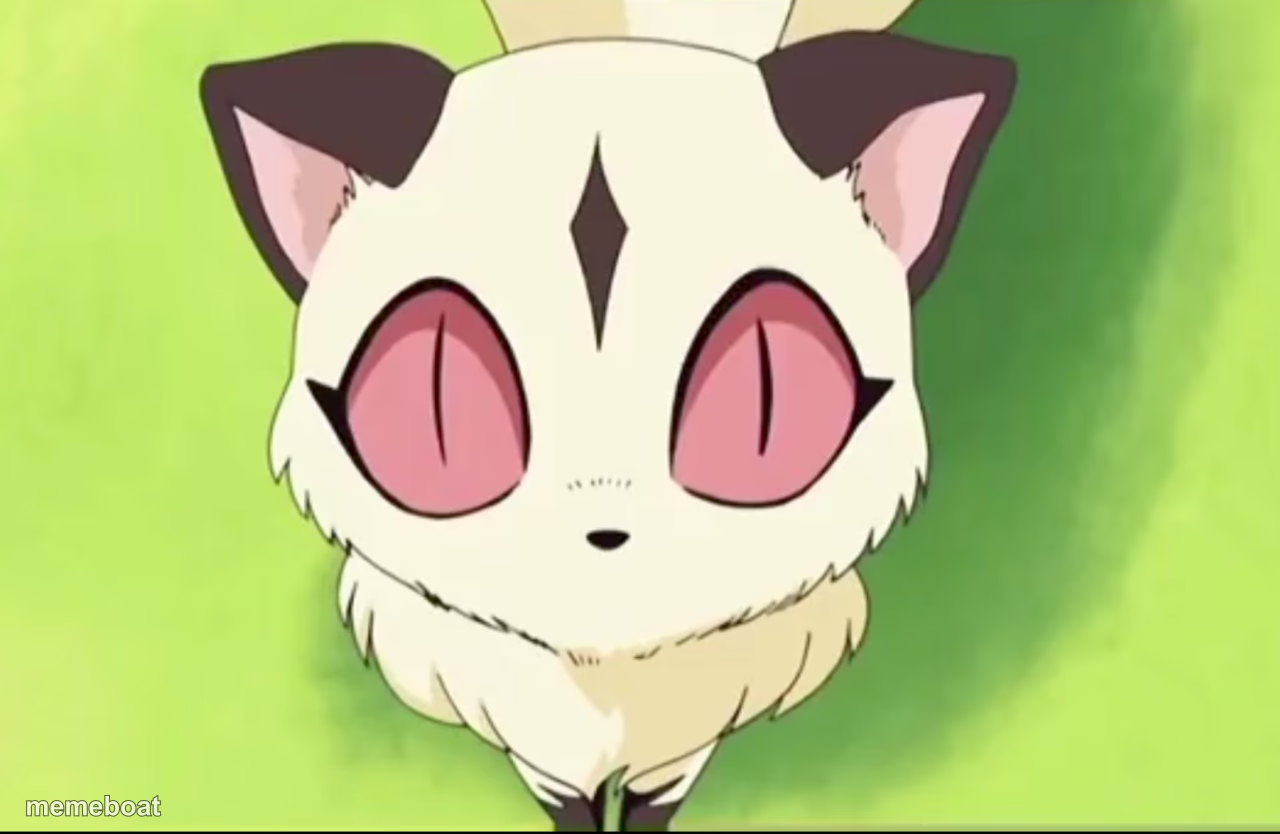
Kirara from Inuyasha giving her signature blank, unimpressed cat stare on a green background. Perfect for deadpan reactions — caption it free.
Blank Kirara stare meme template
Download the blank Kirara stare template to caption it yourself, or add your text right here in the editor above and download the finished meme.
When to use the Kirara stare meme
- Someone explains a terrible plan like it's genius
- Reacting to a friend's questionable life choice with silent judgment
- When you ask 'wait, what?' but say nothing out loud
- The universal response to an awkward silence after a bad joke
Kirara stare template facts
- Featuring
- Kirara (Kilala) (Inuyasha)
- Dimensions
- 1280 × 834 px
- Format
- PNG
- Added
- 2025
About the Kirara stare meme template
That's Kirara, the tiny fire-cat companion from Inuyasha, in her small fluffy form doing what she does best: staring dead into your soul with zero explanation. No context, no words, just enormous pink eyes and pure judgment.
It's the ideal template for the moment someone says something wildly unhinged and everyone in the room just... blinks. Drop your own caption on it and let Kirara do the emotional labor for you.
Templates similar to Kirara stare



Kirara stare meme FAQ
How do I make a Kirara stare meme?
Scroll up to the Kirara stare template, add your own text boxes in the editor above and type your captions, adjust the font, size and color if you like, then click download. Your finished Kirara stare meme is ready to share in seconds.
Can I use the Kirara stare template for free?
Yes. The Kirara stare template is completely free to use — no signup and no limits on how many memes you create or where you share them.
How do I download my Kirara stare meme?
Click the download button under the editor once your Kirara stare meme looks right. It saves straight to your device as a high-quality PNG or JPEG image.
How do I download the blank Kirara stare template?
Use the "Download blank template" button in the blank Kirara stare template section above to save the original, un-captioned image — handy if you'd rather caption it in another app or keep a copy.