
Kanye staring Meme Generator
Create Your Kanye staring Meme
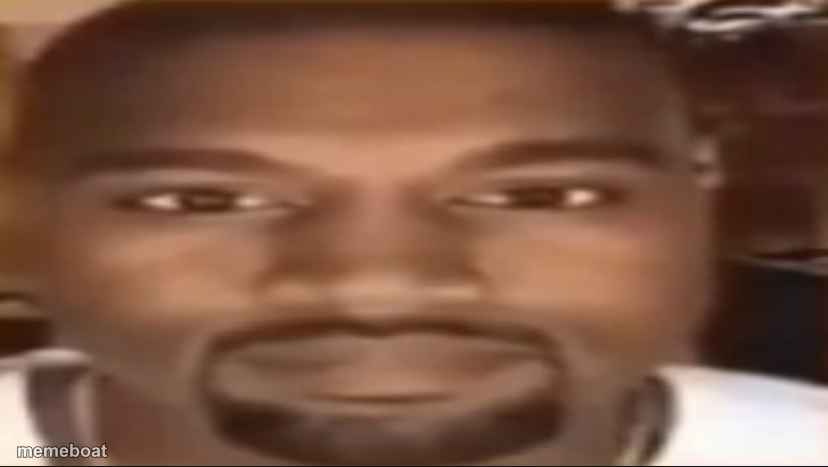
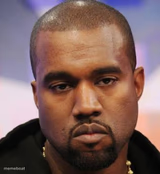
Kanye West's blank, dead-eyed close-up stare from a webcam clip. Use it for deadpan disbelief reactions. Caption and download free on Memeboat.
Blank Kanye staring meme template
Download the blank Kanye staring template to caption it yourself, or add your text right here in the editor above and download the finished meme.
When to use the Kanye staring meme
- Reacting to a question with absolutely no good answer
- Staring at your bank account after a night out
- Processing something so unhinged your brain buffers
- Waiting for someone to finish an obviously fake excuse
Kanye staring template facts
- Featuring
- Kanye West (webcam clip)
- Dimensions
- 828 × 467 px
- Format
- JPG
- Added
- 2025
About the Kanye staring meme template
Kanye, extreme close-up, completely blank stare into the camera like the wifi just cut out mid-thought. No expression, no words, just pure "I have left the building mentally" energy.
Great for reacting to something so dumb or so unhinged your brain just stops processing it. Works for awkward silences, being asked a question you have zero answer for, or just staring into the void after reading the news. Caption it, download free, no sign-up.
Templates similar to Kanye staring

Kanye staring meme FAQ
How do I make a Kanye staring meme?
Scroll up to the Kanye staring template, add your own text boxes in the editor above and type your captions, adjust the font, size and color if you like, then click download. Your finished Kanye staring meme is ready to share in seconds.
Can I use the Kanye staring template for free?
Yes. The Kanye staring template is completely free to use — no signup and no limits on how many memes you create or where you share them.
How do I download my Kanye staring meme?
Click the download button under the editor once your Kanye staring meme looks right. It saves straight to your device as a high-quality PNG or JPEG image.
How do I download the blank Kanye staring template?
Use the "Download blank template" button in the blank Kanye staring template section above to save the original, un-captioned image — handy if you'd rather caption it in another app or keep a copy.