
Julian Assange 2016 Meme Generator
Create Your Julian Assange 2016 Meme
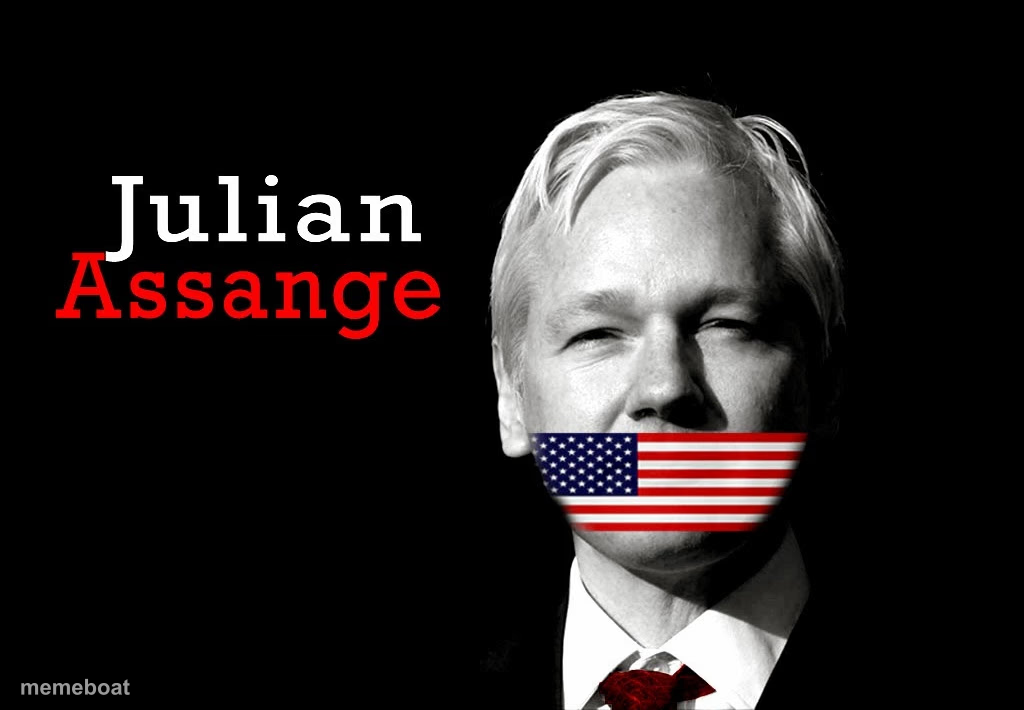
Julian Assange with an American flag digitally taped over his mouth, a jab at silencing whistleblowers. Add your own caption and download free.
Blank Julian Assange 2016 meme template
Download the blank Julian Assange 2016 template to caption it yourself, or add your text right here in the editor above and download the finished meme.
When to use the Julian Assange 2016 meme
- Jokes about getting silenced or censored
- Governments not wanting the truth out there
- Someone told to stop talking about a scandal
- Whistleblower and free-speech commentary
Julian Assange 2016 template facts
- Featuring
- Julian Assange (News)
- Dimensions
- 1024 × 710 px
- Format
- JPG
- Text boxes
- 1
- Added
- 2025
About the Julian Assange 2016 meme template
Julian Assange, side-eyeing the camera with an American flag slapped over his mouth like duct tape. It's a loaded image built for censorship jokes, free-speech gags, or anything about someone being told to shut up by the powers that be.
Popular Julian Assange 2016 caption ideas
IT'S NOT A CONSPIRACY THEORY · WHEN YOU HAVE PROOF
When you know too much about the office gossip
Templates similar to Julian Assange 2016


Julian Assange 2016 meme FAQ
How do I make a Julian Assange 2016 meme?
Scroll up to the Julian Assange 2016 template, type your caption into the text box in the editor above, adjust the font, size and color if you like, then click download. Your finished Julian Assange 2016 meme is ready to share in seconds.
Can I use the Julian Assange 2016 template for free?
Yes. The Julian Assange 2016 template is completely free to use — no signup and no limits on how many memes you create or where you share them.
How do I download my Julian Assange 2016 meme?
Click the download button under the editor once your Julian Assange 2016 meme looks right. It saves straight to your device as a high-quality PNG or JPEG image.
How do I download the blank Julian Assange 2016 template?
Use the "Download blank template" button in the blank Julian Assange 2016 template section above to save the original, un-captioned image — handy if you'd rather caption it in another app or keep a copy.