
It's Afraid Meme Generator
Create Your It's Afraid Meme

Create It's Afraid memes with custom text. Express fear, panic or defensive reactions with this meme format. Add captions and download for free.
Blank It's Afraid meme template
Download the blank It's Afraid template to caption it yourself, or add your text right here in the editor above and download the finished meme.
It's Afraid template facts
- Dimensions
- 1193 × 1280 px
- Format
- JPG
- Added
- 2026
About the It's Afraid meme template
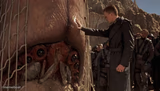
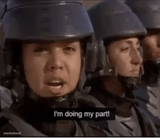
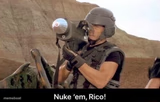
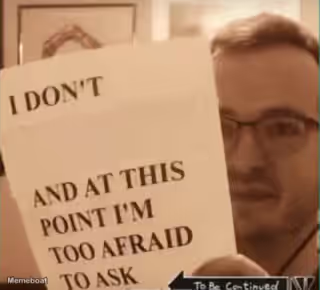
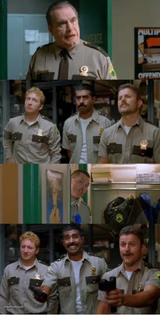
Fear and panic take center stage in this reactive meme format. The It's Afraid template captures moments when someone or something shows clear signs of being threatened or defensive.
This format works well for situations where you want to highlight fearful reactions or defensive behavior. The repetitive emphasis in captions like "IT'S AFRAID... IT'S AFRAID!" suggests the template benefits from dramatic, declarative text that emphasizes the fear or panic being displayed.
Add your own text to create custom It's Afraid memes and download them instantly. Perfect for calling out defensive reactions or highlighting moments of obvious fear.
Popular It's Afraid caption ideas
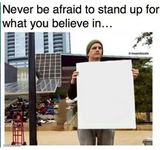
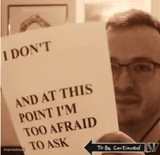
IT'S AFRAID... IT'S AFRAID!

It's Afraid meme FAQ
How do I make a It's Afraid meme?
Scroll up to the It's Afraid template, add your own text boxes in the editor above and type your captions, adjust the font, size and color if you like, then click download. Your finished It's Afraid meme is ready to share in seconds.
Can I use the It's Afraid template for free?
Yes. The It's Afraid template is completely free to use — no signup and no limits on how many memes you create or where you share them.
How do I download my It's Afraid meme?
Click the download button under the editor once your It's Afraid meme looks right. It saves straight to your device as a high-quality PNG or JPEG image.
How do I download the blank It's Afraid template?
Use the "Download blank template" button in the blank It's Afraid template section above to save the original, un-captioned image — handy if you'd rather caption it in another app or keep a copy.