
Insultingly Low Meme Generator
Create Your Insultingly Low Meme
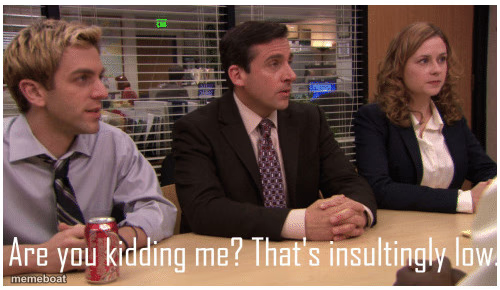
Michael Scott's 'Are you kidding me? That's insultingly low' from The Office negotiation scene — for any lowball offer or insulting counter. Free to caption.
Blank Insultingly Low meme template
Download the blank Insultingly Low template to caption it yourself, or add your text right here in the editor above and download the finished meme.
When to use the Insultingly Low meme
- Reacting to a lowball job offer or salary counter
- Someone offering an insulting trade or price for something
- A friend's Venmo request that's way too high or too low
Insultingly Low template facts
- Featuring
- Michael Scott (The Office)
- Dimensions
- 500 × 290 px
- Format
- PNG
- Added
- 2025
About the Insultingly Low meme template
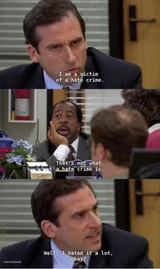
Michael Scott sitting between Jim and Pam looking personally offended, mid-negotiation, dropping the iconic 'that's insultingly low' line. It's the perfect blend of outrage and comedy that only The Office can deliver.
Use it whenever someone offers you something so bad it feels like an insult — a lowball salary offer, a terrible trade, a friend's Venmo request, or any deal that deserves to be laughed out of the room.

Insultingly Low meme FAQ
How do I make a Insultingly Low meme?
Scroll up to the Insultingly Low template, add your own text boxes in the editor above and type your captions, adjust the font, size and color if you like, then click download. Your finished Insultingly Low meme is ready to share in seconds.
Can I use the Insultingly Low template for free?
Yes. The Insultingly Low template is completely free to use — no signup and no limits on how many memes you create or where you share them.
How do I download my Insultingly Low meme?
Click the download button under the editor once your Insultingly Low meme looks right. It saves straight to your device as a high-quality PNG or JPEG image.
How do I download the blank Insultingly Low template?
Use the "Download blank template" button in the blank Insultingly Low template section above to save the original, un-captioned image — handy if you'd rather caption it in another app or keep a copy.