
Inception 2 Meme Generator
Create Your Inception 2 Meme
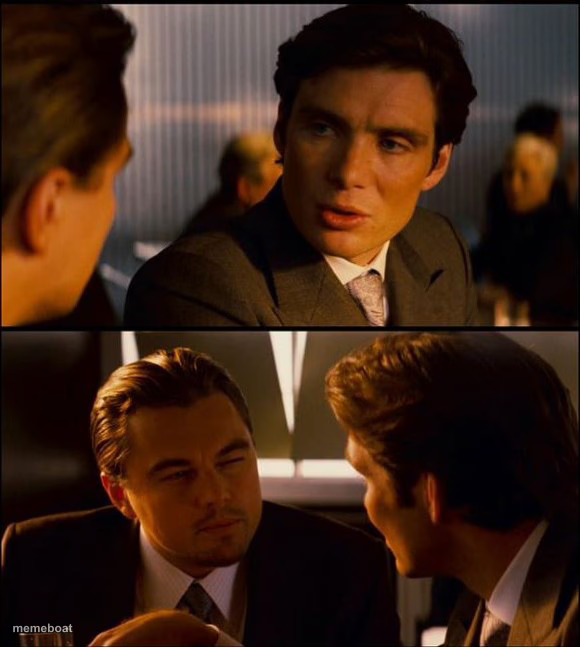
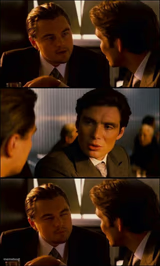
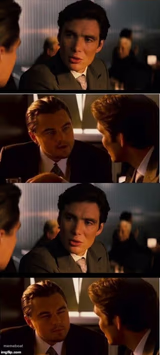
Two-panel Inception shot: a tense conversation on top, DiCaprio and crew scheming below. Great for dream-within-a-dream jokes and layered explanations — free to caption.
Blank Inception 2 meme template
Download the blank Inception 2 template to caption it yourself, or add your text right here in the editor above and download the finished meme.
When to use the Inception 2 meme
- Explaining the difference between the official story and what really happened
- Any joke that needs a layered dream-within-a-dream structure
- Corporate scheming vs. what employees are told
- Nested plans or a plan-within-a-plan situation
Inception 2 template facts
- Featuring
- Cobb and Fischer (Inception)
- Dimensions
- 580 × 647 px
- Format
- JPG
- Added
- 2025
About the Inception 2 meme template
Two stacked scenes from Inception — one guy getting talked into something upstairs, and the actual plotting happening downstairs. It's basically the visual shorthand for "here's what they told me" versus "here's what's really going on."
Perfect for any joke about layers, dreams within dreams, or corporate scheming. Works just as well for "what I told my boss" vs "what actually happened" format jokes.

Inception 2 meme FAQ
How do I make a Inception 2 meme?
Scroll up to the Inception 2 template, add your own text boxes in the editor above and type your captions, adjust the font, size and color if you like, then click download. Your finished Inception 2 meme is ready to share in seconds.
Can I use the Inception 2 template for free?
Yes. The Inception 2 template is completely free to use — no signup and no limits on how many memes you create or where you share them.
How do I download my Inception 2 meme?
Click the download button under the editor once your Inception 2 meme looks right. It saves straight to your device as a high-quality PNG or JPEG image.
How do I download the blank Inception 2 template?
Use the "Download blank template" button in the blank Inception 2 template section above to save the original, un-captioned image — handy if you'd rather caption it in another app or keep a copy.