
Find The Q Meme Generator
Create Your Find The Q Meme
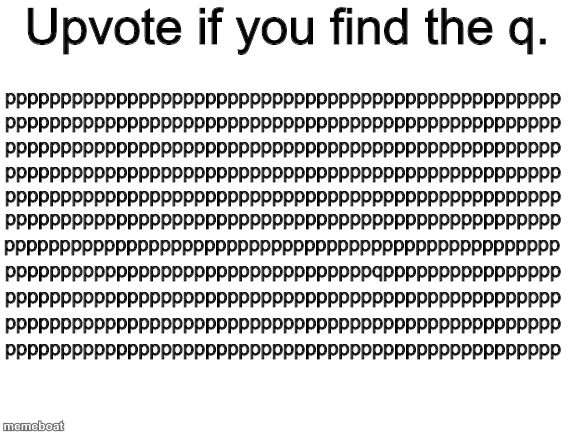
A wall of p's hiding a single sneaky q — the classic "upvote if you find it" puzzle image. Add your own caption and download it free.
Blank Find The Q meme template
Download the blank Find The Q template to caption it yourself, or add your text right here in the editor above and download the finished meme.
When to use the Find The Q meme
- Testing if anyone actually reads the fine print or just skims
- Calling out the one person in a group chat who's acting slightly off
- Bragging that you spotted a typo everyone else scrolled past
Find The Q template facts
- Dimensions
- 577 × 433 px
- Format
- JPG
- Text boxes
- 1
- Added
- 2025
About the Find The Q meme template
Rows and rows of lowercase p's stacked into a grid, with exactly one traitor q hiding somewhere in the mess daring you to find it. It's the internet's favorite five-second eye test.
Great for anything that rewards you for spotting the one thing that's off — the typo nobody else caught, the one weird detail in a photo, the friend who's acting different today.
Popular Find The Q caption ideas
Upvote if you find the q
Upvote if you spotted the typo in the group chat before anyone else
Upvote if you can find what's different about your friend since they started dating
Templates similar to Find The Q




Find The Q meme FAQ
How do I make a Find The Q meme?
Scroll up to the Find The Q template, type your caption into the text box in the editor above, adjust the font, size and color if you like, then click download. Your finished Find The Q meme is ready to share in seconds.
Can I use the Find The Q template for free?
Yes. The Find The Q template is completely free to use — no signup and no limits on how many memes you create or where you share them.
How do I download my Find The Q meme?
Click the download button under the editor once your Find The Q meme looks right. It saves straight to your device as a high-quality PNG or JPEG image.
How do I download the blank Find The Q template?
Use the "Download blank template" button in the blank Find The Q template section above to save the original, un-captioned image — handy if you'd rather caption it in another app or keep a copy.