
Confused White Creature Meme Generator
Create Your Confused White Creature Meme
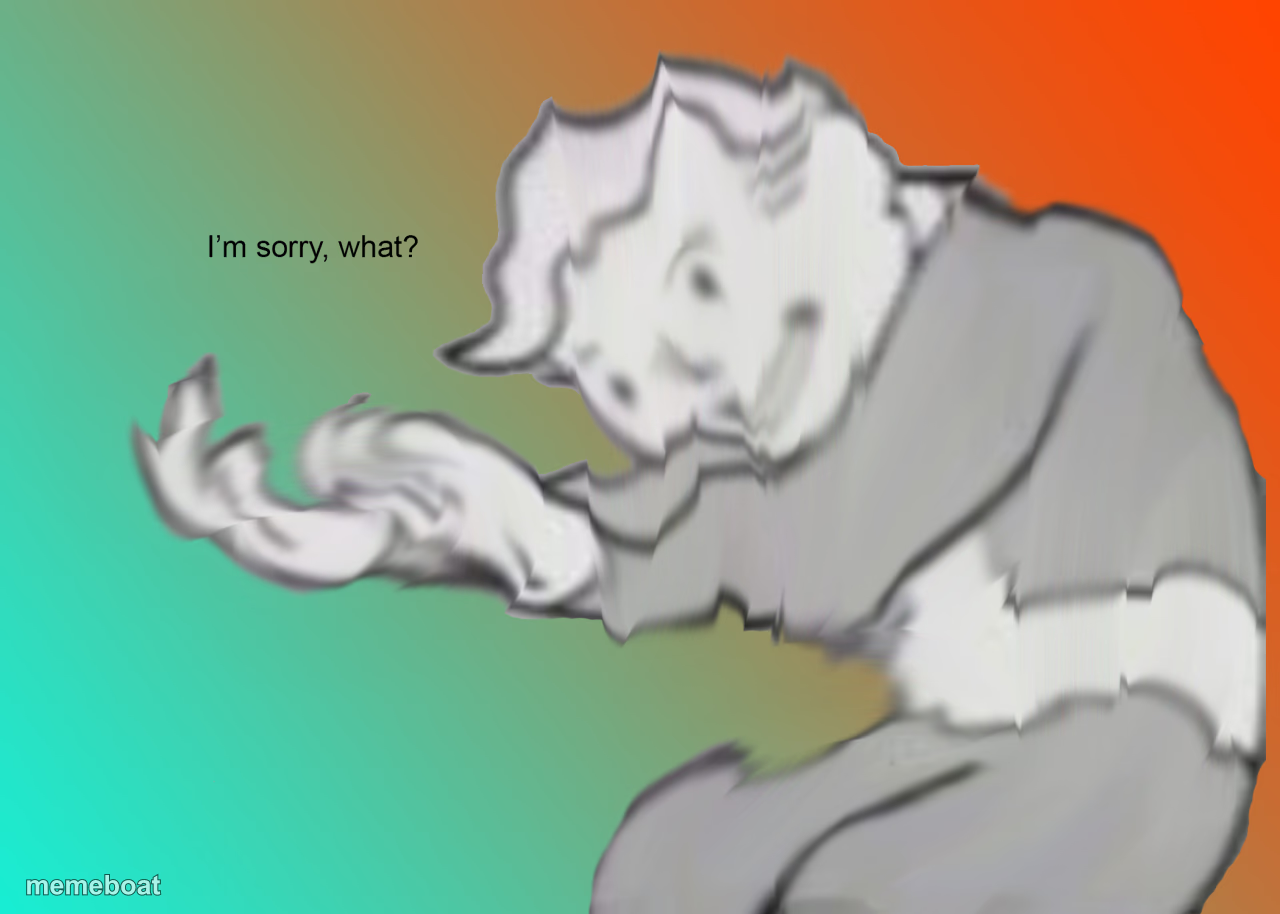
A fuzzy white creature reaching out with a puzzled expression against a colorful gradient, perfect for reacting to confusing or awkward moments. Free to caption.
Blank Confused White Creature meme template
Download the blank Confused White Creature template to caption it yourself, or add your text right here in the editor above and download the finished meme.
When to use the Confused White Creature meme
- pretending not to hear
- awkward misunderstanding
Confused White Creature template facts
- Dimensions
- 1280 × 914 px
- Format
- PNG
- Text boxes
- 2
- Added
- 2025
About the Confused White Creature meme template
The "I'm Sorry What?" meme template has quickly become a staple in internet culture, capturing moments of disbelief and confusion with perfect comedic timing. Originating from the Fallout video game series, this meme gained viral traction around 2020 on platforms like Twitter and Reddit, where users embraced its relatable expression to highlight unexpected or absurd situations. As a viral phenomenon, the "I'm Sorry What?" meme reflects the dynamic nature of social media humor and continues to resonate widely across meme culture.
Knowing how to use the "I'm Sorry What?" meme template effectively can elevate your social media content and engage your audience with relatable humor. Perfect for expressing shock, surprise, or incredulity, this meme fits well in funny reactions and relatable moments shared on Instagram, Twitter, Facebook, and TikTok. Whether you’re responding to a baffling news headline or a friend's outrageous statement, learning how to make an "I'm Sorry What?" meme allows you to craft timely, shareable posts that connect emotionally with your followers and boost engagement.
The popularity of the "I'm Sorry What?" meme remains strong due to its versatility and instant comedic impact. Our easy-to-use online meme maker lets you create, customize, and generate your own "I'm Sorry What?" memes with no design skills needed. With instant results and free access, you can build viral content quickly and share it across social media platforms to maximize laughs and shares. Don’t wait—start making your own "I'm Sorry What?" memes now and join millions in spreading this hilarious meme culture!
Popular Confused White Creature caption ideas
I'm sorry, what? · say that again
When someone explains crypto · and you nod along
Me processing · what you just said
Templates similar to Confused White Creature







Confused White Creature meme FAQ
How do I make a Confused White Creature meme?
Scroll up to the Confused White Creature template, type your caption into the 2 text boxes in the editor above, adjust the font, size and color if you like, then click download. Your finished Confused White Creature meme is ready to share in seconds.
Can I use the Confused White Creature template for free?
Yes. The Confused White Creature template is completely free to use — no signup and no limits on how many memes you create or where you share them.
How do I download my Confused White Creature meme?
Click the download button under the editor once your Confused White Creature meme looks right. It saves straight to your device as a high-quality PNG or JPEG image.
How do I download the blank Confused White Creature template?
Use the "Download blank template" button in the blank Confused White Creature template section above to save the original, un-captioned image — handy if you'd rather caption it in another app or keep a copy.