
Disgusted Classroom Guy Meme Generator
Create Your Disgusted Classroom Guy Meme

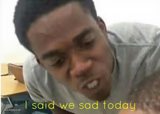
Also known as: I said we (insert whatever) today · I said we sad today · we sad today
A guy in class leans in with a disgusted, confused scowl. Perfect for reacting to a gross confession or a terrible take. Caption it free, no sign-up.
Blank Disgusted Classroom Guy meme template
Download the blank Disgusted Classroom Guy template to caption it yourself, or add your text right here in the editor above and download the finished meme.
When to use the Disgusted Classroom Guy meme
- reacting to something gross
- hearing a bad take
- disgusted disbelief
Disgusted Classroom Guy template facts
- Dimensions
- 680 × 678 px
- Format
- PNG
- Text boxes
- 2
- Added
- 2025
About the Disgusted Classroom Guy meme template
The "I Said We Sad Today" meme template emerged as a viral sensation within internet culture, capturing a unique blend of humor and relatability. Originating from a popular social media clip where a speaker humorously mispronounces "I said we hungry today" as "I said we sad today," this meme quickly gained traction across platforms like Twitter and TikTok in 2023. Its widespread appeal lies in its ability to convey collective emotions with a comedic twist, making it a staple in meme culture and a viral phenomenon that resonates with diverse audiences.
Knowing how to use the "I Said We Sad Today" meme template effectively can elevate your social media content and engagement. Perfect for expressing shared feelings of disappointment, frustration, or ironic sadness, this meme fits seamlessly into funny reactions and relatable moments. Whether you're posting on Instagram, Facebook, or Twitter, understanding when to post this meme—such as during trending events or personal setbacks—can maximize its impact. Learn how to make "I Said We Sad Today" memes that capture the mood and connect with your audience by customizing text and context to fit your message.
This meme template remains popular due to its versatility and ease of creation. With our online "I Said We Sad Today" meme generator, you can create, customize, and personalize your memes instantly—no design skills needed. The quick, free tool empowers you to generate viral content that’s ready to share across all social media platforms, boosting your chances of going viral. Join millions who use this meme maker to build funny, shareable moments that entertain and engage. Start creating your own "I Said We Sad Today" memes now and watch your social media presence grow!
Popular Disgusted Classroom Guy caption ideas
MY VPN · I SAID WE ARE ALBANIA TODAY
When someone says pineapple · belongs on pizza
Me hearing your excuse · for being late again
Him: I don't like memes · Me:
PEOPLE: *JOKE ABOUT MINORITIES* 14 YO WHITE GIRLS: YOU'RE SO MEAN TO THEM! MINORITIES: *FIND THE JOKE FUNNY* 14 YO WHITE GIRLS: · I SAID WE SAD TODAY
ME, FINDING OUT YOU DIDN'T DO YOUR PART OF THE GROUP PROJECT · SO WE'RE PRESENTING TOMORROW HUH
WHEN THEY SAY THEY STUDIED · THEN FAIL THE QUIZ WORSE THAN YOU
YOU COPIED MY ANSWER · AND GOT IT WRONG
ME WHEN MY BLOOD SUGAR GOES LOW WHEN I'M IN BED AND ALMOST READY TO SLEEP: · I said we UP tonight!
Templates similar to Disgusted Classroom Guy





Disgusted Classroom Guy meme FAQ
How do I make a Disgusted Classroom Guy meme?
Scroll up to the Disgusted Classroom Guy template, type your caption into the 2 text boxes in the editor above, adjust the font, size and color if you like, then click download. Your finished Disgusted Classroom Guy meme is ready to share in seconds.
Can I use the Disgusted Classroom Guy template for free?
Yes. The Disgusted Classroom Guy template is completely free to use — no signup and no limits on how many memes you create or where you share them.
How do I download my Disgusted Classroom Guy meme?
Click the download button under the editor once your Disgusted Classroom Guy meme looks right. It saves straight to your device as a high-quality PNG or JPEG image.
How do I download the blank Disgusted Classroom Guy template?
Use the "Download blank template" button in the blank Disgusted Classroom Guy template section above to save the original, un-captioned image — handy if you'd rather caption it in another app or keep a copy.