
I have achieved Meme Generator
Create Your I have achieved Meme

The stone-faced Meme Man staring into the cosmos declaring 'I have achieved.' Fill in the accomplishment, caption it, and download free.
Blank I have achieved meme template
Download the blank I have achieved template to caption it yourself, or add your text right here in the editor above and download the finished meme.
When to use the I have achieved meme
- Announcing you finally did the dishes like it's a moon landing
- Getting out of bed before noon on a Saturday
- Finishing a task you've procrastinated on for six months
I have achieved template facts
- Featuring
- Meme Man (Meme Man / Surreal Memes)
- Dimensions
- 1080 × 603 px
- Format
- JPG
- Added
- 2025
About the I have achieved meme template
Meme Man, humanity's blankest-faced icon, gazing into deep space and announcing an achievement that's about to be revealed as either genuinely impressive or embarrassingly small. The deadpan delivery is the whole joke.
Use it for personal wins that sound grand but really aren't, ironic flexes, or genuine accomplishments you want to announce like you just discovered fire.
Popular I have achieved caption ideas
WHEN YOU HAVE FINALLY MAXED OUT YOUR BUILD IN A GAME · everything
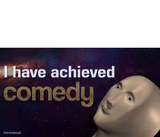
Templates similar to I have achieved


I have achieved meme FAQ
How do I make a I have achieved meme?
Scroll up to the I have achieved template, add your own text boxes in the editor above and type your captions, adjust the font, size and color if you like, then click download. Your finished I have achieved meme is ready to share in seconds.
Can I use the I have achieved template for free?
Yes. The I have achieved template is completely free to use — no signup and no limits on how many memes you create or where you share them.
How do I download my I have achieved meme?
Click the download button under the editor once your I have achieved meme looks right. It saves straight to your device as a high-quality PNG or JPEG image.
How do I download the blank I have achieved template?
Use the "Download blank template" button in the blank I have achieved template section above to save the original, un-captioned image — handy if you'd rather caption it in another app or keep a copy.