
Huggy wuggy Scares Meme Generator
Create Your Huggy wuggy Scares Meme

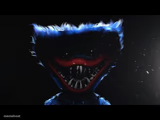
Huggy Wuggy's terrifying grin fills the top panel, with blank space below for your caption — great for jump-scare and overreaction jokes. Free to caption.
Blank Huggy wuggy Scares meme template
Download the blank Huggy wuggy Scares template to caption it yourself, or add your text right here in the editor above and download the finished meme.
When to use the Huggy wuggy Scares meme
- Something unexpectedly terrifying showing up in kids' content
- Overreacting to a mildly annoying surprise
Huggy wuggy Scares template facts
- Featuring
- Huggy Wuggy (Poppy Playtime)
- Dimensions
- 1024 × 1024 px
- Format
- JPG
- Text boxes
- 1
- Added
- 2026
About the Huggy wuggy Scares meme template
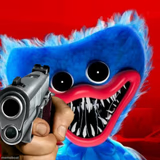
That massive, too-many-teeth smile belongs to Huggy Wuggy from Poppy Playtime, the plush horror mascot that's haunted a generation of kids' Roblox sessions. This template leaves a big blank caption box below the face, built for reaction-style jokes.
Popular Huggy wuggy Scares caption ideas
Me opening my bank app on payday
When the group chat says 'we need to talk'
My face when someone says 'quick meeting' on a Friday at 5pm
Templates similar to Huggy wuggy Scares

Huggy wuggy Scares meme FAQ
How do I make a Huggy wuggy Scares meme?
Scroll up to the Huggy wuggy Scares template, type your caption into the text box in the editor above, adjust the font, size and color if you like, then click download. Your finished Huggy wuggy Scares meme is ready to share in seconds.
Can I use the Huggy wuggy Scares template for free?
Yes. The Huggy wuggy Scares template is completely free to use — no signup and no limits on how many memes you create or where you share them.
How do I download my Huggy wuggy Scares meme?
Click the download button under the editor once your Huggy wuggy Scares meme looks right. It saves straight to your device as a high-quality PNG or JPEG image.
How do I download the blank Huggy wuggy Scares template?
Use the "Download blank template" button in the blank Huggy wuggy Scares template section above to save the original, un-captioned image — handy if you'd rather caption it in another app or keep a copy.