
How liked am i? Meme Generator
Create Your How liked am i? Meme
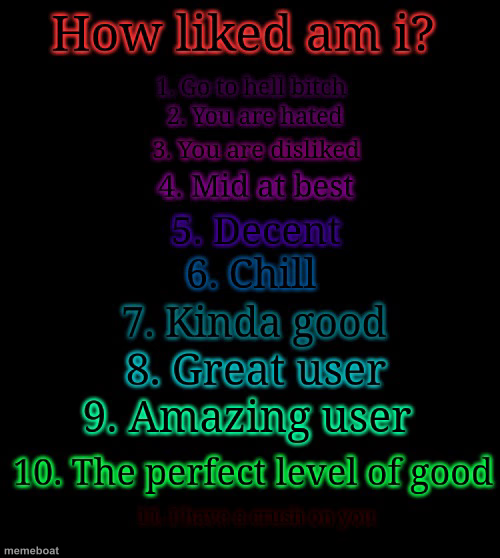
A 1-10 rainbow ranking template from 'go to hell' up to 'perfect level of good.' Great for group-chat roasts and rankings. Free to caption and download.
Blank How liked am i? meme template
Download the blank How liked am i? template to caption it yourself, or add your text right here in the editor above and download the finished meme.
When to use the How liked am i? meme
- Ranking how much your friend group actually likes a new person
- Rating a coworker's excuse for being late
- Scoring a group chat member's meme game
- Judging your own performance after an awkward interaction
How liked am i? template facts
- Dimensions
- 500 × 558 px
- Format
- JPG
- Added
- 2025
About the How liked am i? meme template
A color-graded 1-through-10 scale, starting brutal at the bottom ('go to hell') and climbing up through mid, decent, and chill, all the way to 'the perfect level of good' at the top. It's basically a built-in roast machine with a scoreboard.
Drop this in a group chat and let people vote on anything — a friend's cooking, a coworker's excuse, your ex's new haircut. The format does the joke for you; you just fill in the subject.
Templates similar to How liked am i?

How liked am i? meme FAQ
How do I make a How liked am i? meme?
Scroll up to the How liked am i? template, add your own text boxes in the editor above and type your captions, adjust the font, size and color if you like, then click download. Your finished How liked am i? meme is ready to share in seconds.
Can I use the How liked am i? template for free?
Yes. The How liked am i? template is completely free to use — no signup and no limits on how many memes you create or where you share them.
How do I download my How liked am i? meme?
Click the download button under the editor once your How liked am i? meme looks right. It saves straight to your device as a high-quality PNG or JPEG image.
How do I download the blank How liked am i? template?
Use the "Download blank template" button in the blank How liked am i? template section above to save the original, un-captioned image — handy if you'd rather caption it in another app or keep a copy.