
He's back Meme Generator
Create Your He's back Meme

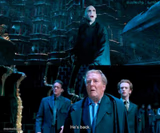
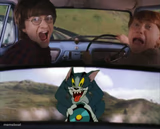
Two-panel Harry Potter scene: Voldemort rising in ruins, then wizards reacting with dread saying he's back. Fits jokes about dreaded returns or unwelcome comebacks. Caption and download free.
Blank He's back meme template
Download the blank He's back template to caption it yourself, or add your text right here in the editor above and download the finished meme.
When to use the He's back meme
- dreaded unwelcome return
- bad news breaking
- ominous comeback announcement
He's back template facts
- Dimensions
- 500 × 415 px
- Format
- JPG
- Text boxes
- 2
- Added
- 2026
About the He's back meme template
Looking for a way to announce someone's return or comeback? This template works well for situations where you want to highlight that a person or group is back in action.
The format fits announcements about friends returning, alt accounts reappearing, or any scenario involving a notable return. Based on how others have used it, the template works with both individual names and group references like "me and the boys."
For effective captions, try naming the specific person or group that's returning. Keep the text bold and direct to match the announcement style of the format.
Popular He's back caption ideas
JEFFREY AND HIS ALT USERS · ME AND THE BOYS
When the printer jams again · He's back
Seasonal allergies in spring · He's back
That group project member who ghosted · He's back



He's back meme FAQ
How do I make a He's back meme?
Scroll up to the He's back template, type your caption into the 2 text boxes in the editor above, adjust the font, size and color if you like, then click download. Your finished He's back meme is ready to share in seconds.
Can I use the He's back template for free?
Yes. The He's back template is completely free to use — no signup and no limits on how many memes you create or where you share them.
How do I download my He's back meme?
Click the download button under the editor once your He's back meme looks right. It saves straight to your device as a high-quality PNG or JPEG image.
How do I download the blank He's back template?
Use the "Download blank template" button in the blank He's back template section above to save the original, un-captioned image — handy if you'd rather caption it in another app or keep a copy.