
Has-been Meme Generator
Create Your Has-been Meme

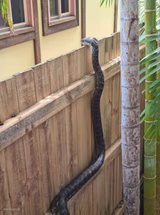
A gnarled, twisted stick or root lying on crumpled brown paper. Use it for 'is this a snake or a stick' jokes and 'found in the wild' captions. Free to caption.
Blank Has-been meme template
Download the blank Has-been template to caption it yourself, or add your text right here in the editor above and download the finished meme.
When to use the Has-been meme
- That double-take moment when you think you spotted a snake
- Describing something ugly but harmless you found outside
- A 'plot twist, it's nothing' reveal after building up suspense
- Overreacting to something completely mundane
Has-been template facts
- Dimensions
- 1280 × 848 px
- Format
- JPG
- Text boxes
- 2
- Added
- 2025
About the Has-been meme template
It's a stick. It might be a snake. It's definitely giving off some kind of ominous forest-floor energy that makes you look twice before touching it.
Great template for those 'wait, is that alive' double-takes, or anything about weird stuff you find outside that turns out to be completely mundane once you get close enough.
Popular Has-been caption ideas
MY BRAIN: SNAKE! · MY EYES: IT'S A STICK
FOUND THIS ON THE TRAIL · ALMOST HAD A HEART ATTACK
WHAT MY DOG BRINGS ME EVERY DAY · LIKE IT'S TREASURE
Templates similar to Has-been



Has-been meme FAQ
How do I make a Has-been meme?
Scroll up to the Has-been template, type your caption into the 2 text boxes in the editor above, adjust the font, size and color if you like, then click download. Your finished Has-been meme is ready to share in seconds.
Can I use the Has-been template for free?
Yes. The Has-been template is completely free to use — no signup and no limits on how many memes you create or where you share them.
How do I download my Has-been meme?
Click the download button under the editor once your Has-been meme looks right. It saves straight to your device as a high-quality PNG or JPEG image.
How do I download the blank Has-been template?
Use the "Download blank template" button in the blank Has-been template section above to save the original, un-captioned image — handy if you'd rather caption it in another app or keep a copy.