
Happy Hunger Games Meme Generator
Create Your Happy Hunger Games Meme
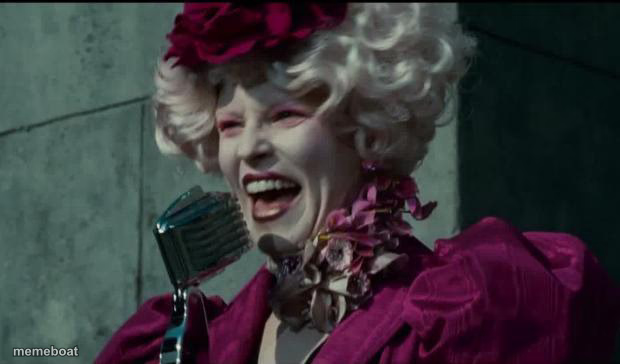
Effie Trinket beaming into the microphone with her iconic 'Happy Hunger Games' energy — perfect for sarcastic congratulations. Caption it free right now.
Blank Happy Hunger Games meme template
Download the blank Happy Hunger Games template to caption it yourself, or add your text right here in the editor above and download the finished meme.
When to use the Happy Hunger Games meme
- Announcing bad news with fake cheerfulness
- Mocking corporate 'exciting update' emails
- Sarcastically congratulating someone on their misfortune
Happy Hunger Games template facts
- Featuring
- Effie Trinket (The Hunger Games)
- Dimensions
- 620 × 364 px
- Format
- JPG
- Added
- 2025
About the Happy Hunger Games meme template
Effie Trinket, decked out in her signature pastel wig and velvet suit, grinning way too hard into a vintage microphone like she's about to ruin someone's whole week with fake enthusiasm.
Use this one for over-the-top, cheerfully evil announcements — Monday morning news, mandatory overtime, or telling someone their odds are 'ever so slightly' not in their favor.
Templates similar to Happy Hunger Games



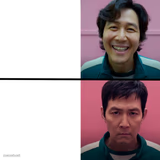
Happy Hunger Games meme FAQ
How do I make a Happy Hunger Games meme?
Scroll up to the Happy Hunger Games template, add your own text boxes in the editor above and type your captions, adjust the font, size and color if you like, then click download. Your finished Happy Hunger Games meme is ready to share in seconds.
Can I use the Happy Hunger Games template for free?
Yes. The Happy Hunger Games template is completely free to use — no signup and no limits on how many memes you create or where you share them.
How do I download my Happy Hunger Games meme?
Click the download button under the editor once your Happy Hunger Games meme looks right. It saves straight to your device as a high-quality PNG or JPEG image.
How do I download the blank Happy Hunger Games template?
Use the "Download blank template" button in the blank Happy Hunger Games template section above to save the original, un-captioned image — handy if you'd rather caption it in another app or keep a copy.