
Corgi Box Spaceship Meme Generator
Create Your Corgi Box Spaceship Meme
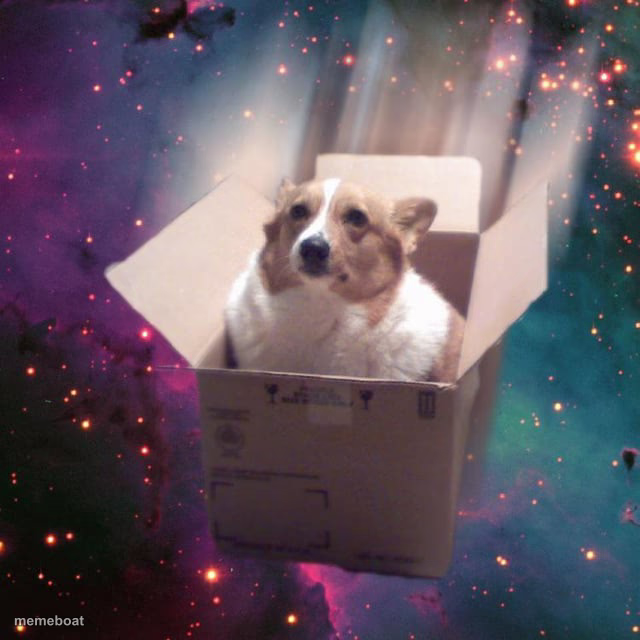
A corgi sitting in a cardboard box that's been photoshopped into a galaxy background, like it's piloting a spaceship. Great for space-dog and delivery jokes.
Blank Corgi Box Spaceship meme template
Download the blank Corgi Box Spaceship template to caption it yourself, or add your text right here in the editor above and download the finished meme.
When to use the Corgi Box Spaceship meme
- Your dog acting like your Amazon box is a private jet
- Captioning any "I contain multitudes" pet moment
- Making fun of overhyped delivery tracking updates
- Any joke about pets thinking they're main character material
Corgi Box Spaceship template facts
- Dimensions
- 640 × 640 px
- Format
- JPG
- Text boxes
- 1
- Added
- 2025
About the Corgi Box Spaceship meme template
This good boy has apparently commandeered a cardboard delivery box and is now cruising through the cosmos, unbothered, ears perked, ready for whatever nebula comes next. The absurd contrast between "discount amazon box" and "actual galaxy" is the whole joke.
Popular Corgi Box Spaceship caption ideas
GRAVY · BOTTOM TEXT
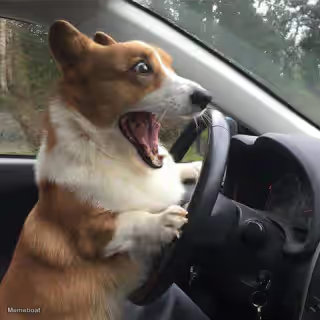
me driving my car after 1 lesson
Templates similar to Corgi Box Spaceship




Corgi Box Spaceship meme FAQ
How do I make a Corgi Box Spaceship meme?
Scroll up to the Corgi Box Spaceship template, type your caption into the text box in the editor above, adjust the font, size and color if you like, then click download. Your finished Corgi Box Spaceship meme is ready to share in seconds.
Can I use the Corgi Box Spaceship template for free?
Yes. The Corgi Box Spaceship template is completely free to use — no signup and no limits on how many memes you create or where you share them.
How do I download my Corgi Box Spaceship meme?
Click the download button under the editor once your Corgi Box Spaceship meme looks right. It saves straight to your device as a high-quality PNG or JPEG image.
How do I download the blank Corgi Box Spaceship template?
Use the "Download blank template" button in the blank Corgi Box Spaceship template section above to save the original, un-captioned image — handy if you'd rather caption it in another app or keep a copy.