
Goofy ahh Grinch Meme Generator
Create Your Goofy ahh Grinch Meme
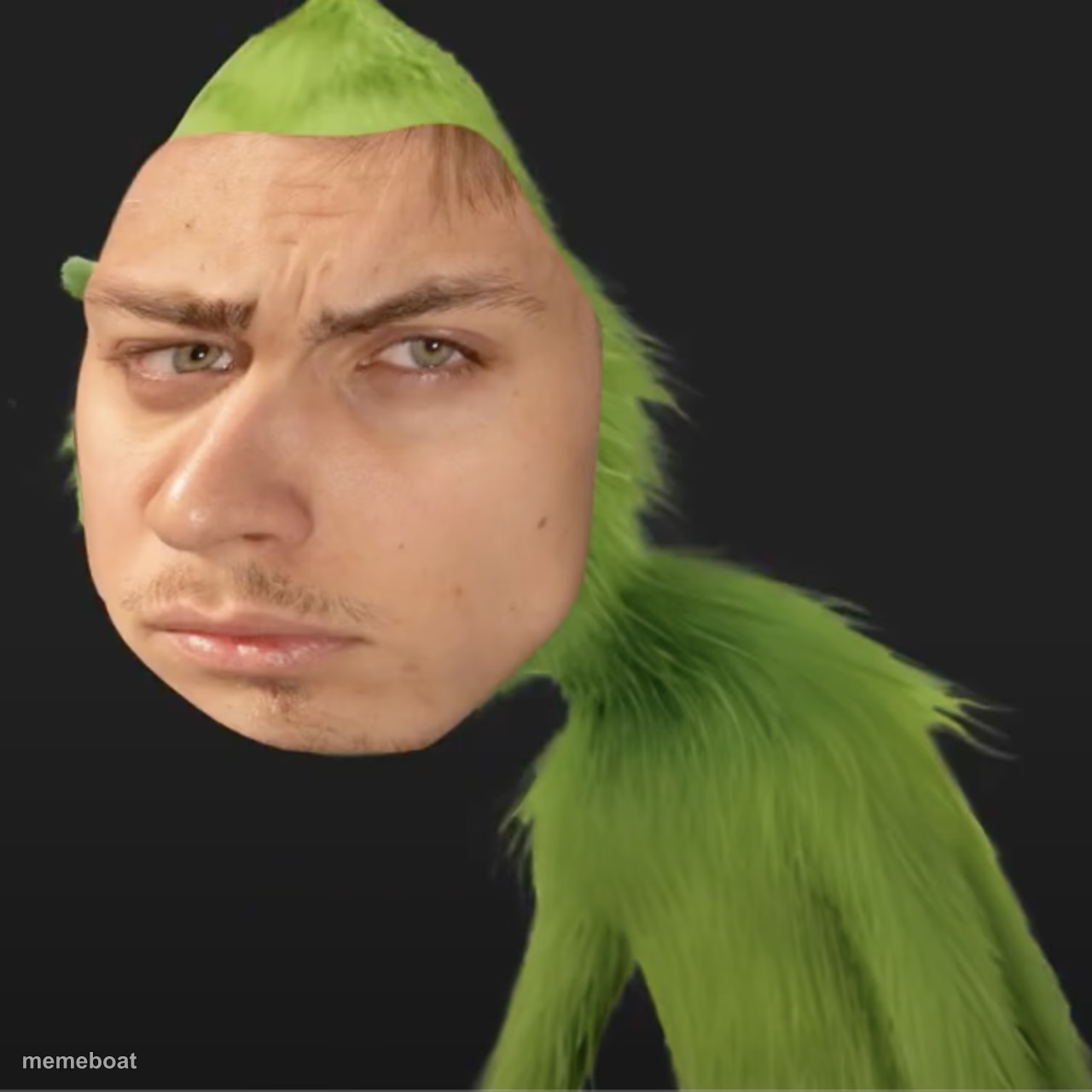
A face-swap meme of a guy's head on the Grinch's fuzzy green body, giving a flat unimpressed stare. Great for deadpan reaction jokes. Caption and download free.
Blank Goofy ahh Grinch meme template
Download the blank Goofy ahh Grinch template to caption it yourself, or add your text right here in the editor above and download the finished meme.
When to use the Goofy ahh Grinch meme
- Reacting to a bad take with total deadpan disgust
- The face you make when the holidays start in September
- Responding to someone's cursed opinion in the group chat
Goofy ahh Grinch template facts
- Dimensions
- 1280 × 1280 px
- Format
- PNG
- Text boxes
- 1
- Added
- 2025
About the Goofy ahh Grinch meme template
Somebody's actual human face, badly stitched onto the Grinch's furry green body, staring dead into your soul with zero patience left. It's the internet's favorite unhinged face-swap format and it never stops being funny.
Popular Goofy ahh Grinch caption ideas
WANTED TO STEAL CHRISTMAS · BUT 2024 WENT BY TOO FAST
Me when Mariah Carey drops in November
When they say pineapple belongs on pizza
My face hearing 'just one more episode'
Templates similar to Goofy ahh Grinch

Goofy ahh Grinch meme FAQ
How do I make a Goofy ahh Grinch meme?
Scroll up to the Goofy ahh Grinch template, type your caption into the text box in the editor above, adjust the font, size and color if you like, then click download. Your finished Goofy ahh Grinch meme is ready to share in seconds.
Can I use the Goofy ahh Grinch template for free?
Yes. The Goofy ahh Grinch template is completely free to use — no signup and no limits on how many memes you create or where you share them.
How do I download my Goofy ahh Grinch meme?
Click the download button under the editor once your Goofy ahh Grinch meme looks right. It saves straight to your device as a high-quality PNG or JPEG image.
How do I download the blank Goofy ahh Grinch template?
Use the "Download blank template" button in the blank Goofy ahh Grinch template section above to save the original, un-captioned image — handy if you'd rather caption it in another app or keep a copy.