
Goofy Meme Generator
Create Your Goofy Meme
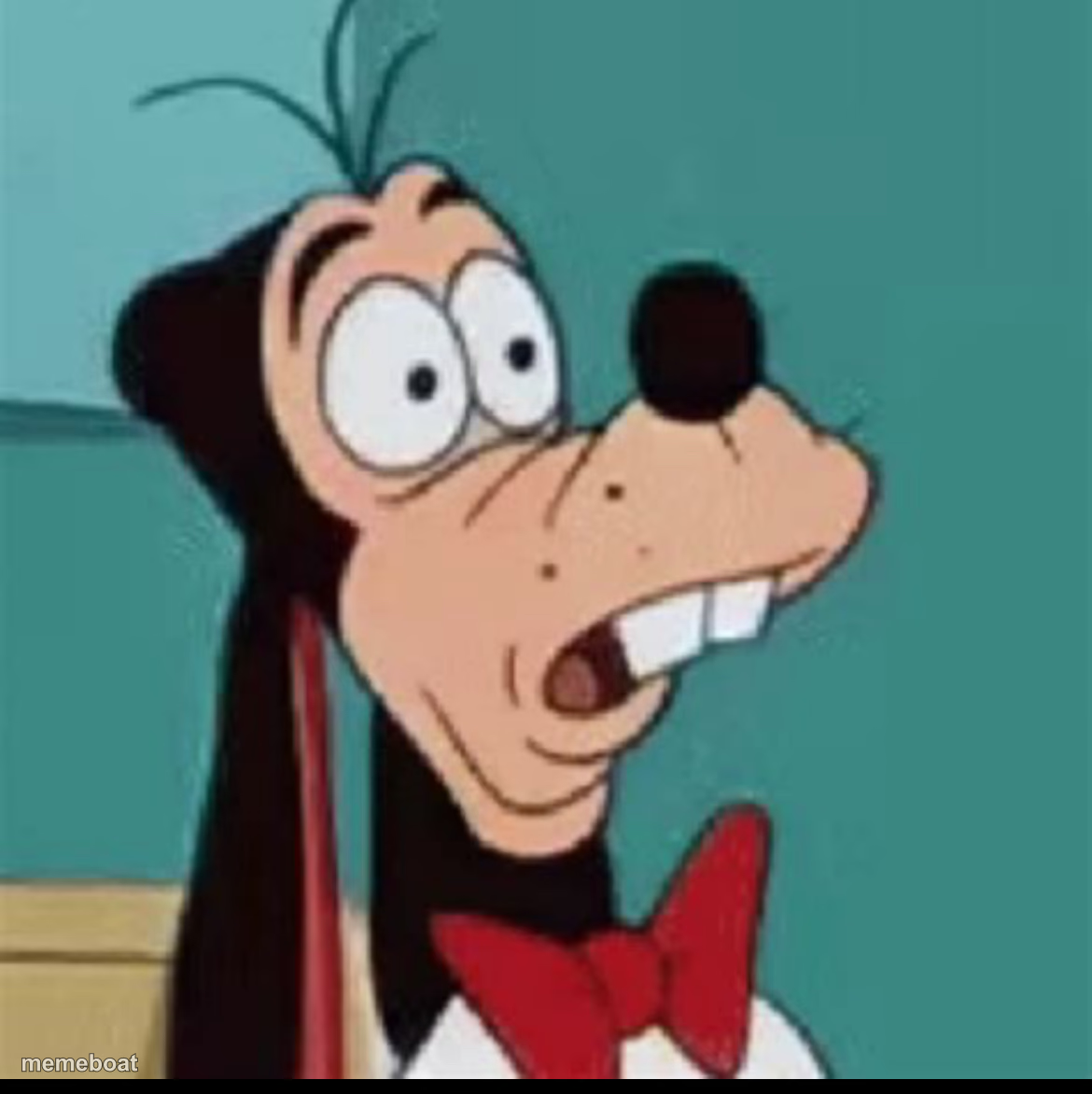
Goofy mid-gasp with wide bugged-out eyes — the perfect reaction to shocking, appalling, or 'wait, what?' news. Free to caption and download.
Blank Goofy meme template
Download the blank Goofy template to caption it yourself, or add your text right here in the editor above and download the finished meme.
When to use the Goofy meme
- Seeing the total after a grocery run in 2026
- A coworker casually mentions they're quitting tomorrow
- Finding out a 'quick fix' will take three weeks
- Realizing the meeting could have been an email, again
Goofy template facts
- Featuring
- Goofy (Disney's Goofy cartoons)
- Dimensions
- 1170 × 1172 px
- Format
- JPG
- Text boxes
- 1
- Added
- 2025
About the Goofy meme template
Goofy caught completely off guard, mouth open, eyes practically popping out of his head. This is the face you make when someone drops information you were absolutely not prepared for.
Great for reacting to plot twists, unbelievable prices, or someone casually revealing a huge secret like it's nothing. The exaggerated cartoon horror sells it every time.
Popular Goofy caption ideas
Me checking my bank account after payday weekend
When they say 'it's just a small update' to the codebase
Finding out the group project got reassigned to just me
Templates similar to Goofy

Goofy meme FAQ
How do I make a Goofy meme?
Scroll up to the Goofy template, type your caption into the text box in the editor above, adjust the font, size and color if you like, then click download. Your finished Goofy meme is ready to share in seconds.
Can I use the Goofy template for free?
Yes. The Goofy template is completely free to use — no signup and no limits on how many memes you create or where you share them.
How do I download my Goofy meme?
Click the download button under the editor once your Goofy meme looks right. It saves straight to your device as a high-quality PNG or JPEG image.
How do I download the blank Goofy template?
Use the "Download blank template" button in the blank Goofy template section above to save the original, un-captioned image — handy if you'd rather caption it in another app or keep a copy.