
Goku Shhhhh Meme Generator
Create Your Goku Shhhhh Meme
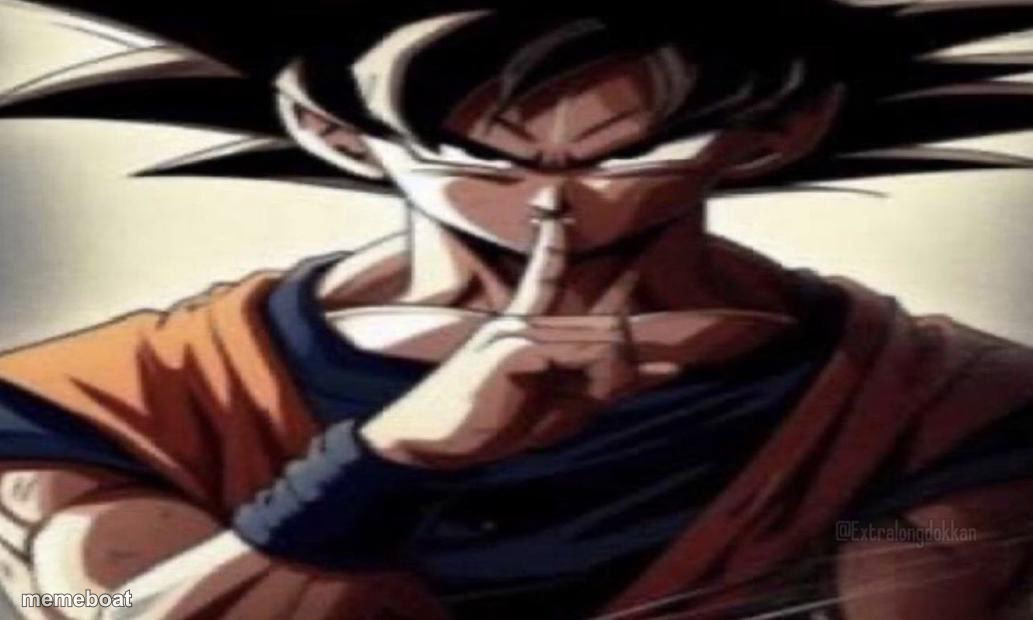
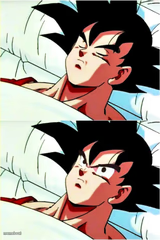
Goku holding a finger to his lips for silence — perfect for shutting down a secret, a plan, or a friend who's about to spoil something. Caption it free.
Blank Goku Shhhhh meme template
Download the blank Goku Shhhhh template to caption it yourself, or add your text right here in the editor above and download the finished meme.
When to use the Goku Shhhhh meme
- Someone's about to blurt out the surprise party plans
- Telling your friend to stop talking mid-lie
- Keeping a secret from a sibling or coworker
- Warning everyone the boss just walked in
Goku Shhhhh template facts
- Featuring
- Goku (Dragon Ball Z)
- Dimensions
- 1033 × 620 px
- Format
- PNG
- Added
- 2025
About the Goku Shhhhh meme template
Goku's not smiling, not powering up, just staring dead at you with one finger pressed to his lips. It's the universal "say nothing else" face, borrowed from the most powerful guy in anime to shut down a conversation instantly.
Use it for keeping secrets, warning a friend not to snitch, or telling someone to stop talking before they make it worse. Works anywhere a stern "shhh" needs extra weight behind it.
Popular Goku Shhhhh caption ideas
UPVOTE FOR CHEETOS · DOWNVOTE FOR SKIBIDI TOILET
Templates similar to Goku Shhhhh




Goku Shhhhh meme FAQ
How do I make a Goku Shhhhh meme?
Scroll up to the Goku Shhhhh template, add your own text boxes in the editor above and type your captions, adjust the font, size and color if you like, then click download. Your finished Goku Shhhhh meme is ready to share in seconds.
Can I use the Goku Shhhhh template for free?
Yes. The Goku Shhhhh template is completely free to use — no signup and no limits on how many memes you create or where you share them.
How do I download my Goku Shhhhh meme?
Click the download button under the editor once your Goku Shhhhh meme looks right. It saves straight to your device as a high-quality PNG or JPEG image.
How do I download the blank Goku Shhhhh template?
Use the "Download blank template" button in the blank Goku Shhhhh template section above to save the original, un-captioned image — handy if you'd rather caption it in another app or keep a copy.